Vocal too low?
Keep lead vocals separate so they can be leveled, controlled, and protected from masking.
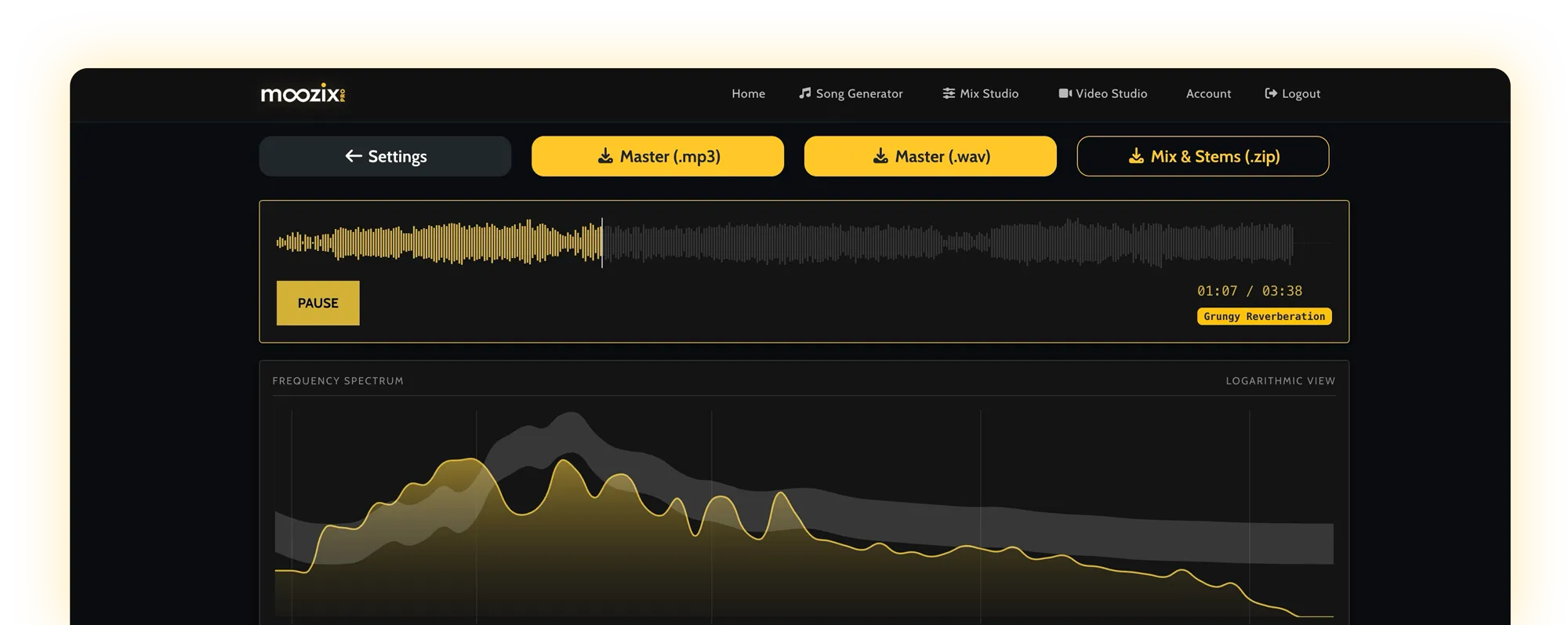
Stem mixing works when the parts are clear: vocals, drums, bass, instruments, and effects each have a job. This guide shows how to export, organize, reference, mix, and leave with files you can release or keep revising in your DAW.
A finished stereo mix can only be pushed as one object. Stems let the mix change the vocal without crushing drums, tighten bass without dulling the whole track, and shape effects without hiding the hook.
Mastering can make a balanced mix louder and more polished. It cannot reliably pull a buried vocal out of a finished stereo file or stop a bass stem from masking the kick after everything is baked together.
Keep lead vocals separate so they can be leveled, controlled, and protected from masking.
Separate drums from the music bed so punch and cymbal edge can be managed directly.
Keep bass separate so it can sit with the kick instead of eating the whole master.
Stems are grouped exports from a song. They are not always every single track in your DAW. Good stems are clear enough to control the song but simple enough to judge quickly.
Vocal focus, low-end control, width, punch, and master energy work together.
Not every song needs the same workflow. The right choice depends on whether you have the original parts, a finished stereo mix, or one full file that needs splitting first.
Use these when you have the session or can export grouped tracks from your DAW. This gives the mix the most control over vocal, drums, bass, instruments, and effects.
Mix the stemsUse one stereo file when the internal balance already works and you mainly need loudness, tone, true peak control, and export polish.
Master the songUse stem splitting when you only have one full song but still need separate control over vocal, drums, bass, and music bed before mixing.
Split, then mixGood stem prep is not glamorous. It is alignment, headroom, naming, and deciding which effects belong in the file. This is the part that makes every mix tool feel smarter.
More files are not always better. A useful stem set gives the mix control over the parts that matter without burying the workflow under tiny fragments.
Works for demos and fast vocal-forward mixes, but limits how much drums, bass, and instruments can be changed independently.
A strong everyday setup. The main balance problems can be fixed without turning the session into a file-management mess.
Best when you care about revision control, vocal placement, low-end cleanup, and processed stems for future DAW work.
A good reference is not a song to copy. It is a listening target for vocal level, low-end weight, brightness, punch, width, and final energy. The closer the reference is to your song, the more useful the target becomes.
The point of stem mixing is not to process everything equally. A vocal needs intelligibility. A bass needs weight and notes. Effects need depth without fog. Judge each stem by its role.
What to listen forWords, presence, harshness, emotion
Useful moveKeep it clear in the center, control peaks, make room in the midrange, and avoid burying it under guitars, keys, or reverb.
What to listen forSupport, width, blend
Useful moveKeep them behind the lead, spread them wider when useful, and tame consonants so they lift the hook without stealing focus.
What to listen forPunch, snap, groove, cymbal edge
Useful moveBalance kick and snare first, keep cymbals from dominating the master, and protect transient impact before chasing loudness.
What to listen forLow-end weight, note clarity, kick relationship
Useful moveMake the low end stable, leave space for kick impact, and keep enough upper definition to read on small speakers.
What to listen forMasking, warmth, width, hook support
Useful movePan and shape them around the vocal instead of stacking every part in the same center-mid space.
What to listen forDepth, tail length, mud, emotion
Useful moveUse ambience to create space, but filter low-heavy effects and keep delays from covering important words.
If a result sounds off, do not guess randomly. Name the symptom, find the likely stem-level cause, and change the source or target before running the next pass.
The vocal stem is too low, too dynamic, or masked by guitars, keys, beat, or backing vocals.
Raise or separate the vocal stem, reduce competing mids, and use a reference where the vocal sits the way you want.
Bass, music bed, reverb, and vocal body are all building up in the low mids.
Separate bass from music bed, clean reverb/FX, and avoid exporting every instrument with heavy low-end weight.
Drums are buried inside a full beat stem or flattened by bus processing before upload.
Export drums separately when possible, keep transient punch, and avoid clipping or over-limiting the drum stem.
The bass is mostly sub energy with little note definition above the low end.
Keep bass as its own stem so tone and harmonics can be shaped without making the whole song boomy.
The mix is too dense or too low-heavy before mastering.
Fix the stem balance first. The master should enhance the mix, not flatten a crowded arrangement.
The reference target does not match the genre, vocal role, arrangement, or emotional direction.
Pick a closer reference and judge the mix at matched playback volume.
The best stem workflow does not stop at a single loud file. It gives you a finished direction and the practical files you need for release, review, revisions, and future versions.
The release-ready master you keep for distribution, review, and archive.
A smaller file for fast listening, sharing, and direction checks.
A mixed version without final mastering pressure, useful for revisions and future mastering.
Individual song parts with mix processing printed, useful for DAW revisions and alternate versions.
Moozix is built for the practical path: separate song parts in, private preview out, then release-ready exports when the direction works. Start with stems when the balance needs to change, or master a finished stereo mix when the balance already works.
These are the questions that matter before uploading stems, choosing a reference, or deciding whether the song needs mixing or mastering.
Stem mixing means mixing grouped song parts, such as vocals, drums, bass, guitars, keys, and effects, instead of only processing one finished stereo file. It gives the mix more control because each part can be balanced and shaped separately.
AI stem mixing uses software to analyze separate stems, balance their levels, shape tone, control dynamics, place parts in the stereo field, and create a mixed preview or master. It works best when the stems are clean, aligned, and labeled clearly.
Start with the parts that decide the song: lead vocal, backing vocals, drums, bass, main instruments, music bed, and effects. If you have a beat and vocals, upload them separately. If you have a full DAW session, export grouped stems that keep the arrangement easy to judge.
Export all stems from the same start point, at the same sample rate, without clipping. Leave a little headroom, label files clearly, and avoid printing heavy master bus processing unless it is part of the sound you intentionally want.
Use dry stems when you want the mix to control space, reverb, and delay. Use wet stems when an effect is essential to the production. When possible, export important effects as their own stems so they can be balanced separately.
Stem mixing is better when the balance inside the song is wrong, such as buried vocals, loud drums, weak bass, or crowded instruments. Mastering a stereo file is better when the mix already works and mainly needs loudness, tone, and final polish.
If you only have one full audio file, split it into stems first when possible. Separated parts are never as perfect as original DAW stems, but they can still give more control than mastering the full stereo file alone.
Processed stems are the individual song parts printed with mix processing applied. They are useful when you want to keep revising in a DAW, make alternate versions, send files for collaboration, or preserve the mix direction while changing an arrangement.
You do not need one, but a reference gives the mix a clearer target for vocal level, low-end weight, brightness, punch, width, and overall finish. Choose a reference that belongs near your song, not just a song you like.
Bad stem mixes usually come from clipped stems, mismatched start times, unclear file names, too many tiny tracks, baked-in effects, heavy master bus processing, or a reference that does not match the song.
We do not train on your uploaded audio. Your uploads are used for your private mixing, mastering, and export workflow. Uploads and mix session files are removed completely after 24 hours.
Moozix workflows can support MP3 previews, 24-bit WAV masters, premaster mixes, and processed stems when your session includes stems. The useful goal is not only a louder file, but a set of files you can actually release, review, and revise.
Upload vocals, drums, bass, instruments, and effects. Choose a reference direction, hear a private preview, and export the files you need when the mix works.