Rap
Rap
Hear the vocal move forward and the low end tighten without flattening the track.
Upload stems or a full song. Moozix uses AI mixing to balance the parts, then AI mastering to finish the track so it gets cleaner, louder, and easier to trust.
Start with the source you actually have, then choose the finish you want. Moozix can mix stems, master a stereo song, or split one full song before mixing.
Start with separate stems, a finished stereo mix, or one full song that Moozix can split first.
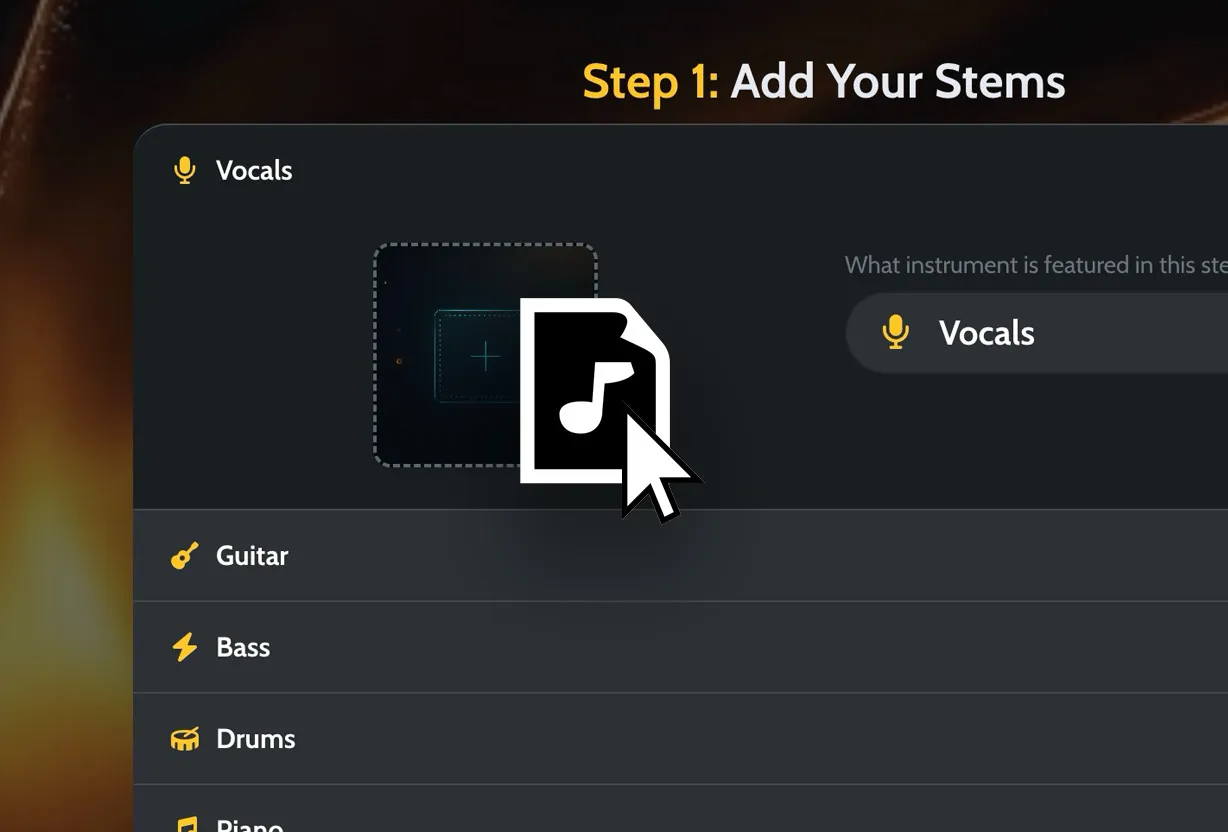
Add vocals, drums, bass, guitars, keys, or a stereo file. Keep the parts named clearly so the result is easier to judge.
Use a built-in style or create a reusable custom style from a song you trust when you know the direction.
Moozix works on balance, tone, dynamics, loudness, and stereo width, then creates a private preview.
Keep the MP3 preview, 24-bit WAV master, premaster mix, and processed stems when your session includes stems.
These before/after examples show Moozix being used for auto mixing and mastering across different genres. Hear the difference for yourself.
Hear the vocal move forward and the low end tighten without flattening the track.
Listen for the guitars and drums feeling more locked together while the final master keeps its movement.
Listen for a steadier vocal, clearer acoustic detail, and a warmer finished master.
Hear the low end tighten, the punch hold together, and the master open up.
Use this when you have vocals, drums, bass, guitars, keys, or other parts. Moozix can balance the song before mastering it.
Mix your stemsUse this when the mix already feels right and you want final loudness, tone, and export polish.
Master a finished songUse this when you do not have stems yet. Moozix can separate the song into parts before starting a new mix.
Split one full songTurn rough stems into a balanced mix without building a full plugin chain first.
Hear a finished direction quickly when you need to send, share, or release a song.
Polish vocals, drums, bass, and instruments so the beat and topline feel locked together.
Use processed stems and a premaster when you want to keep revising after the automatic mix.
Add vocals, drums, bass, guitars, keys, and the rest of the session. If you only have a stereo song, split it first and let Moozix work from the parts.
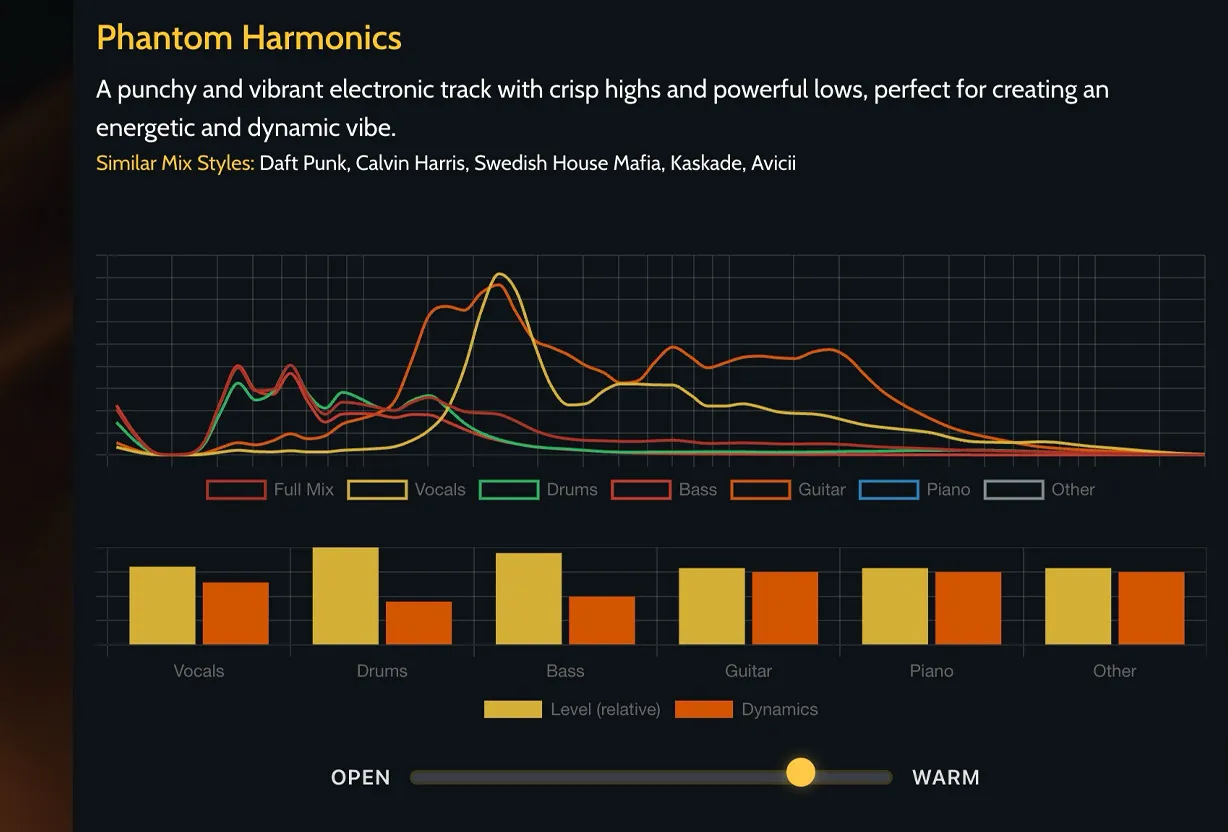
Pick a built-in style, or make one from a song you trust. It gives Moozix a target for how bright, warm, punchy, or loud the result should feel.
A reference can guide tone, punch, loudness, width, and balance. It does not make your song a clone of another record. It gives the finish a target that vague words usually cannot.
Master a finished song when the stereo mix already feels right, or master the result after Moozix mixes your stems. Keep the versions you need for release, review, or revisions.

Moozix does not just make the song louder. The goal is a finished master that translates when you send it, share it, upload it, or keep revising in your DAW.
A controlled master that keeps loudness, peaks, and tone balanced for normalized playback.
Clear vocal focus and punch that still reads on phone speakers and earbuds.
MP3 previews make it easy to compare, send notes, and decide whether the direction works.
24-bit WAV masters, premaster mixes, and processed stems keep the finish usable after export.
Mastering is strongest when the mix already works. Moozix can work earlier by balancing stems before creating the final master.
If you already record and arrange elsewhere, you can bring the audio to Moozix, choose the direction, and leave with usable files.
You do not have to build a whole chain just to hear where the song could go. Moozix gives you a fast preview, reference direction, 24-bit WAV masters, and processed stems.
Yes. Moozix is an AI mixing and mastering tool for songs and stems. It can use AI stem mixing to balance vocals, drums, bass, guitars, keys, and instruments before AI mastering finishes the track.
Moozix is an AI mixing and mastering tool for songs and stems. Upload stems when the balance needs work, upload one full song to split into stems, or upload a finished stereo mix when AI mastering is enough. You can preview the result free, then export 24-bit WAV masters, MP3 previews, premaster mixes, and processed stems when you are ready to keep the files.
AI mixing and mastering uses software to balance song parts, shape tone and dynamics, and prepare a final master. Mixing works on the relationship between parts. Mastering polishes the finished mix for release, review, or sharing.
Mixing balances vocals, drums, bass, instruments, space, tone, and dynamics inside the song. Mastering works on the finished stereo mix and adds the final loudness, tonal polish, and export preparation.
Yes. You can upload separate song parts, choose a reference style if you want a target sound, and create a balanced mix and master.
Yes. You can upload a finished stereo mix and export a louder, cleaner master for release, review, or sharing.
No. Stems give Moozix the most control, but you can also upload a finished stereo mix for mastering or upload one full song and split it into stems first.
Yes. If you only have one full song file, Moozix can split it into stems first so you can move into a stem mixing workflow.
Moozix supports common audio uploads such as MP3, WAV, M4A, FLAC, AAC, OGG, and AIFF in its mixing workflows. MP3 or WAV is usually the safest starting point.
Processed stems are the individual song parts printed with the balance, tone, and processing from the Moozix mix. They are useful when you want to keep revising in your DAW after the automatic mix.
Reference styles give the mix or master a target for tone, dynamics, low end, brightness, punch, and loudness. You can choose built-in styles or create custom styles from reference tracks.
No. Moozix can master a finished stereo mix, but its stronger workflow starts earlier: upload stems or split a full song, balance the parts, then master the result.
Use Moozix when you want a fast finish and an objective second set of ears. A human engineer can still be the right choice for complex creative direction, but Moozix helps you hear a polished mix and master quickly.
Yes. You can start free, upload audio, and hear a private preview before upgrading for final export files.
You can export a 24-bit WAV master, an MP3 preview, a premaster mix, and processed stems for DAW revisions.
If your mix is already finished, stereo mastering can help. If you still need the parts balanced, Moozix can work from stems first, then export the master and processed stems.
If you already record and arrange elsewhere, Moozix gives you a focused way to finish: bring in the audio, choose the direction, hear the result, and export usable files.
We do not train on your uploaded audio. Your uploads are used for your private mixing, mastering, and export workflow. Uploads and mix session files are removed completely after 24 hours.
Bring in stems, a finished mix, or one full song. Leave with something you can send, compare, release, or keep working on.