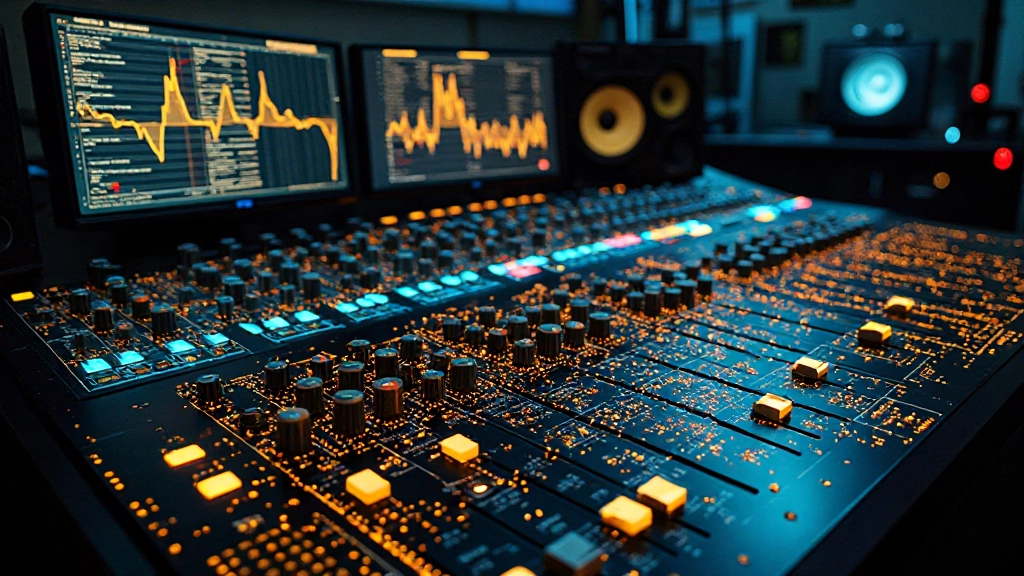
You're staring at an AI tonal balance analyzer that insists your vocal mix has too much presence at 3kHz, but when you cut that frequency, the vocal disappears behind the guitars. The analyzer shows a perfect curve, yet your mix sounds lifeless. This disconnect between AI analysis and actual mix quality happens more often than most producers realize, especially when working with dense arrangements or genre-specific production styles.
AI tonal balance tools can provide valuable insight, but they're trained on massive datasets that don't always match your creative intent or the specific context of your track. Understanding when these tools help versus when they mislead makes the difference between a mix that translates well and one that sounds technically correct but musically flat.
Quick Takeaways
- AI analyzers often miss genre-specific frequency needs and creative mixing choices
- Reference track mismatches can lead analyzers to suggest inappropriate corrections
- Dense mixes confuse AI tools that expect cleaner frequency separation
- Trust your ears when analyzer suggestions make the mix sound worse in context
- Use analyzers for broad guidance, then refine by ear with your actual reference tracks
- Check analyzer results against mono, headphone, and car speaker tests for real-world validation
Why AI Analyzers Miss the Mark on Dense Productions
Dense electronic productions, heavy rock mixes, and layered hip-hop beats often trigger false warnings from tonal balance analyzers. These tools expect frequency content to be distributed in ways that work for pop ballads or acoustic songs, but a trap beat with multiple synth layers and heavy 808s will naturally show "excessive" low-end content that's actually essential to the genre.
When you're working with a beat that has kick, 808, sub bass, and bass synth all occupying the low end, an AI analyzer might flag this as muddy or unbalanced. But removing that low-end density would strip away the track's power and make it sound thin compared to commercial references in the same style.
The same issue occurs in the opposite direction with aggressive rock or metal mixes. These productions often need more high-mid presence than analyzers recommend to cut through distorted guitars and maintain vocal clarity. An AI tool trained on broader musical datasets might suggest reducing the 2-5kHz range that's crucial for keeping vocals audible in heavy arrangements.
Reference Track Selection Throws Off AI Recommendations
Most AI analyzers compare your mix to a built-in reference curve derived from thousands of commercially released tracks. This approach falls apart when your genre, era, or creative style doesn't match the training data. A lo-fi hip-hop track naturally has a darker, warmer frequency balance that will trigger "not enough highs" warnings, but adding the suggested brightness destroys the intentional vintage character.
Similarly, if you're mixing a track inspired by '90s alternative rock, the analyzer might push you toward a more modern, scooped frequency response that doesn't serve the aesthetic you're chasing. The tool doesn't understand that your reference tracks from that era have a different tonal signature for valid artistic reasons.
This is where manual reference matching becomes crucial. Instead of trusting the AI's generic curve, load actual songs from your genre and decade into your DAW. Use these real references to guide your frequency decisions, not an algorithm that averages across styles that might have nothing to do with your creative goals.
When Genre Context Matters More Than Generic Balance
Jazz recordings often feature more low-mid content than pop productions because upright bass and piano left hand occupy that range prominently. An AI analyzer might flag this as "muddy" and suggest cuts that would thin out the rich, warm character that defines the style. Trust your genre knowledge over the algorithm when the suggested changes fight against established sonic conventions.
Ambient and experimental music face similar challenges. These genres often use unconventional frequency distribution as a creative choice - heavy sub-bass drones, filtered textures, or intentionally harsh high frequencies that serve the artistic vision. AI tools trained on conventional song structures will consistently suggest "corrections" that normalize the very elements that make the music interesting.
Even within mainstream genres, different subgenres have their own frequency signatures. Modern country often emphasizes vocal presence differently than classic country, while future bass uses different low-end approaches than deep house. Generic AI analysis can't account for these nuanced differences that experienced mix engineers understand intuitively.
False Fix: EQing by AI Numbers Instead of Musical Context
The biggest mistake happens when producers chase the analyzer's target curve without considering how those changes affect the musical content. You might boost 10kHz because the tool says you need more "air," but that frequency range contains cymbal harshness in your particular drum mix. The analyzer sees a gap to fill; your ears hear a problem to avoid.
This numeric approach ignores the fundamental principle that good mixing serves the song, not the spectrum analyzer. Every frequency decision should make the music more engaging, more emotional, or more impactful. If an AI suggestion improves the visual readout but makes the song less compelling, the algorithm is leading you away from a successful mix.
How Dense Arrangements Confuse AI Analysis
When you have multiple instruments occupying similar frequency ranges, AI analyzers struggle to distinguish between intentional density and problematic frequency buildup. A track with electric guitar, distorted bass, and saturated keyboards all contributing mid-range content might look "unbalanced" to an algorithm, but those overlapping elements could be creating exactly the thick, powerful sound you're after.
This confusion intensifies in electronic music where synthesized sounds don't behave like traditional instruments. A filtered pad might sweep through several frequency ranges during a section, causing the analyzer to read constantly shifting "problems" that are actually dynamic musical elements. Trying to EQ away these movements would eliminate the expressive automation that makes the part interesting.
String sections and choir arrangements also confuse AI analysis because they naturally create broad frequency content that doesn't fit into neat instrumental categories. The analyzer might suggest carving out specific frequency ranges, not understanding that the overlapping harmonics are what give these arrangements their lush, enveloping character.
Testing AI Suggestions Against Real Playback Scenarios
When an AI analyzer recommends a frequency change, test that suggestion across multiple playback systems before committing. Make the suggested EQ move, then check how it affects your mix on headphones, car speakers, phone speakers, and different monitor setups. Often, changes that improve the analyzer readout make the mix translate worse on real-world systems.
Start with a mono fold-down test. Collapse your mix to mono and listen for how the AI-suggested changes affect instrument separation and vocal clarity. If the analyzer recommended cutting certain frequencies but those cuts make elements disappear in mono, the algorithm was responding to stereo content distribution rather than actual frequency balance issues.
Follow up with a low-volume test on your main monitors. Play the mix quietly and see if the AI suggestions help or hurt clarity at background listening levels. Analyzer-driven frequency boosts often work at normal listening volumes but create harshness when the music plays softly. Conversely, suggested cuts might reveal detail at loud levels while making the mix sound thin and weak when it's turned down.
| Playback Test | What to Listen For | Red Flags from AI Changes |
|---|---|---|
| Mono fold-down | Vocal clarity, instrument separation | Elements disappearing or fighting more than before |
| Low volume | Overall balance, detail audibility | Harshness or excessive thinness |
| Car speakers | Mid-range translation, vocal presence | Vocals buried or overly aggressive |
| Phone speakers | Essential element survival, overall character | Loss of impact or unnatural brightness |
| Different headphones | Frequency response consistency | Dramatic sound changes between models |
Setting Up Your DAW to Override AI Recommendations
Create a mixing workflow that uses AI analysis as input, not instruction. Load your track into your DAW alongside 2-3 reference songs from your specific genre and era. Set up an A/B comparison system where you can quickly switch between your mix and these references without adjusting levels.
In Pro Tools, use the DigiRack EQ III analyzer mode alongside your chosen AI tool. Compare what both analyzers show, but more importantly, listen to how your mix feels compared to the references. If the AI suggests a 3dB cut at 400Hz but your references have similar content in that range, trust the musical context over the algorithm.
Logic Pro users can take advantage of the built-in spectrum analyzer while running third-party AI analysis tools in real-time. Set up key commands for bypassing EQ moves so you can quickly hear before-and-after comparisons. This rapid A/B testing reveals when AI suggestions actually improve the mix versus when they just improve the visual readout.
For Studio One, create a custom mix template that includes both traditional analyzer plugins and AI-powered tools side by side. Use the Song Page to quickly reference commercial tracks at the same playback level, giving you instant context for whether AI-suggested frequency changes serve your artistic goals.
- Insert traditional spectrum analyzer and AI tonal balance tool on your mix bus
- Load 2-3 genre-appropriate reference tracks as audio files
- Set up level-matched playback switching between your mix and references
- Create bypass key commands for easy A/B testing of EQ moves
- Use multiple analyzer views to cross-check AI recommendations
- Always test suggested changes in mono and at different volumes
When AI Analysis Actually Helps Your Mix Decisions
AI tonal balance tools excel at catching broad frequency imbalances that you might miss after hours of detailed mixing. If you've been focused on individual instrument EQ moves, an analyzer can reveal that your overall mix has drifted too dark or too bright compared to commercial standards. This macro-level feedback proves valuable for course corrections.
These tools also help identify frequency buildup that occurs gradually across many mix decisions. You might not notice that small low-mid boosts on bass, guitar, and keyboards have combined to create muddiness, but an AI analyzer will flag the cumulative effect. Use this insight to guide which instruments need complementary cuts rather than following the tool's specific frequency suggestions.
AI analysis works well for catching technical problems that don't serve musical goals. Accidental high-frequency emphasis from multiple plugin chains, unintended low-end rolloff from high-pass filters, or phase-related frequency cancellations often show up clearly in AI tools before they become obvious to tired ears during long mixing sessions.
Using AI Tools for Initial Mix Assessment
Run AI analysis early in your mix process, before you get attached to specific sound choices. Use the feedback to establish broad frequency goals rather than specific EQ moves. If the tool suggests your mix needs more high-frequency content, consider that guidance when making decisions about vocal air, cymbal brightness, or guitar amp simulation settings.
This approach treats AI analysis as a mixing compass rather than a detailed roadmap. The tool might not know exactly which instruments need adjustment, but it can help you recognize when your overall frequency distribution has drifted away from professional standards for your genre.
Vocal Presence Conflicts: When AI Misreads Context
Vocal mixing creates frequent conflicts between AI recommendations and musical necessity. Many tonal balance tools push for vocal presence in the 2-5kHz range, but the optimal frequency depends heavily on the vocalist's natural tone, the instrumental arrangement, and the emotional content of the section.
Breathy, intimate vocals often need less presence than AI tools recommend because the close-mic character and natural air provide clarity without aggressive mid-range boosting. Adding the suggested presence can make these vocals sound harsh and unnatural, fighting against the intended mood.
Conversely, vocals competing with distorted guitars, aggressive synths, or dense electronic elements might need more presence than typical AI recommendations. The algorithm doesn't understand that your vocal needs to cut through a particularly challenging instrumental arrangement, so it suggests "balanced" amounts of presence that leave the vocal buried in the mix.
When AI vocal recommendations conflict with your musical judgment, trust your ears and check your decisions against reference tracks with similar vocal styles and arrangements. A ballad vocal approach won't work for an uptempo rock song, regardless of what the analyzer's training data suggests.
Frequency Masking Issues AI Tools Miss Completely
AI tonal balance analyzers examine frequency content in isolation, missing the complex interaction between instruments that creates real mixing problems. Your bass might look perfectly balanced on the analyzer while completely masking your kick drum in the actual mix context. The tool sees adequate low-end content; your ears hear a kick that disappears whenever the bass plays.
This limitation becomes critical when working with instruments that share frequency ranges but need to coexist rather than blend. Piano and guitar both occupy mid-range frequencies, but they often need different EQ approaches depending on their role in the arrangement. AI analysis might suggest balancing their combined frequency content without understanding which instrument should dominate during specific sections.
Solve masking issues through careful listening and selective soloing, not analyzer-driven frequency adjustments. Solo your kick and bass together to hear their interaction, then make EQ moves that help them work together rhythmically. The analyzer might show "imbalanced" frequency content, but your mix will groove better when the low-end elements complement each other musically.
Preparing Your Mix for Upload Despite AI Analyzer Warnings
Sometimes your mix is finished and ready for release, but AI analyzers still show warnings or suggest changes. This scenario requires confidence in your musical decisions and careful verification through multiple quality checks rather than last-minute frequency adjustments based on algorithm feedback.
Before uploading to streaming platforms or preparing for mix feedback, run comprehensive translation tests that matter more than AI approval. Check your mix on the playback systems your audience actually uses: phone speakers, earbuds, car audio, and home speakers. If your mix translates well across these real-world scenarios, AI analyzer warnings about frequency imbalance become less relevant.
Consider using AI automix and mastering tools that focus on technical loudness and dynamics rather than frequency rebalancing. These services can optimize your mix for streaming without overriding the tonal character you've carefully crafted. This approach lets you maintain your creative frequency decisions while ensuring technical compliance with platform standards.
- Test mix translation on 5+ different playback systems
- Verify mono compatibility and low-volume clarity
- Compare against 3 reference tracks from your genre
- Check LUFS levels for streaming platform compliance
- Ensure no true peak limiting artifacts
- Confirm mix serves the song's emotional impact
Building Confidence in Your Frequency Decisions
Developing trust in your own frequency judgment takes time, but it's essential for creating mixes that serve your artistic vision rather than conforming to algorithmic expectations. Start by studying the frequency content of mixes you admire within your genre, noting how they handle specific instruments and frequency ranges.
Practice making frequency decisions without looking at analyzers first. Train your ears to recognize when a mix needs more presence, warmth, or clarity, then check your EQ moves against both traditional and AI analysis tools. Over time, you'll develop intuition for when analyzer feedback helps versus when it conflicts with musical goals.
Remember that every great mix in history was created without AI tonal balance analysis. These tools provide useful feedback, but they can't replace musical judgment, genre knowledge, or understanding of how your specific track should sound to serve its artistic purpose. Use AI analysis as one input among many, not as the final authority on your creative decisions.
When preparing tracks for services like the AI stem mixing guide, focus on providing clean, well-recorded source material rather than pre-correcting frequency content based on analyzer recommendations. Professional mixing engineers, whether human or AI-assisted, work better with unprocessed stems that haven't been over-EQ'd based on algorithmic suggestions.
Common Questions About AI Tonal Balance Analysis
Why does my mix sound worse after following AI analyzer suggestions?
AI analyzers often recommend changes that improve visual frequency balance without considering musical context, genre conventions, or creative intent. Trust your ears and reference tracks over algorithmic suggestions that make your mix less engaging or emotionally impactful.
Should I ignore AI tonal balance tools completely?
No, but use them for broad guidance rather than specific instructions. AI tools excel at identifying general frequency imbalances or technical problems, but they can't make creative decisions about what serves your particular song and genre.
How do I know if my frequency balance is actually wrong?
Test your mix across multiple playback systems and compare it directly with reference tracks from your genre. If your mix translates poorly or sounds dramatically different from professional references, investigate frequency issues. Don't rely solely on analyzer readouts.
What's the best way to use AI analysis during mixing?
Run AI analysis early for general direction, then refine by ear using genre-appropriate references. Use analyzer feedback to identify potential problem areas, but make specific EQ decisions based on how changes affect musical elements in context.
Can dense arrangements ever look "balanced" to AI analyzers?
Dense productions often trigger false warnings because AI tools expect frequency content distributed like simpler arrangements. Heavy electronic music, orchestral pieces, and layered rock mixes naturally have frequency density that analyzers flag as problems.
When should I trust AI recommendations over my own judgment?
Consider AI suggestions when they align with problems you hear but couldn't identify precisely, or when they catch technical issues like phase problems or accidental frequency buildup. Ignore recommendations that conflict with your genre knowledge or make the music less compelling.
Hear what these choices do to your own song.
Upload stems or a finished track, choose a reference direction, and compare a private Moozix mix before you export anything.