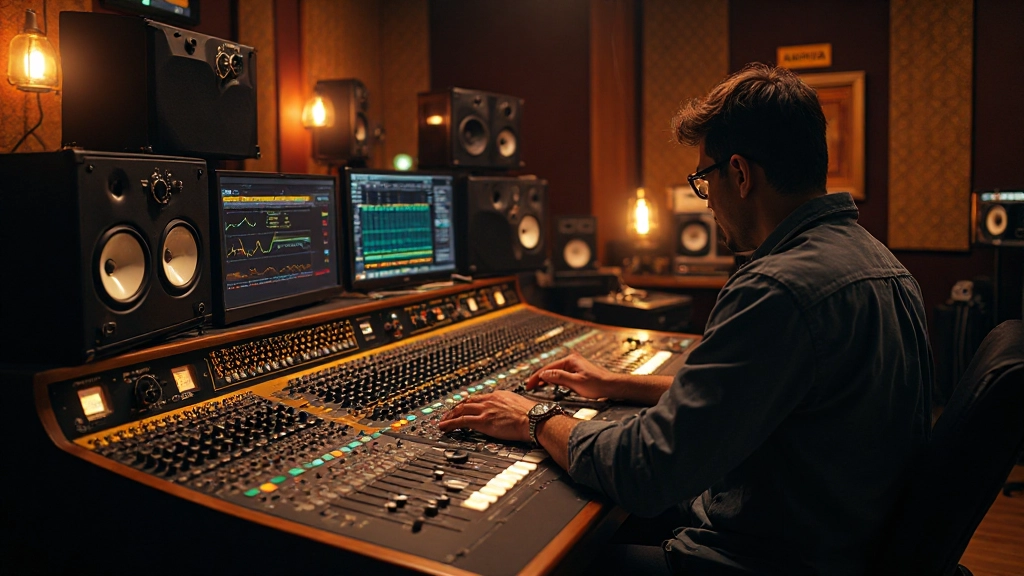
At 2:30 AM in a cramped home studio in Portland, Garrett Chen made the worst mix decision of his career. The guitar solo he'd been perfecting for three hours sounded absolutely perfect through his monitors. When he played it back the next morning at reasonable volume, it was a shrill, piercing mess that completely destroyed the emotional impact of his band's debut single.
What happened to Garrett happens to thousands of home studio owners every week: ear fatigue crept in so gradually that he never noticed his hearing response changing. By the time he was "dialing in" that guitar tone, his ears had already adapted to excessive high frequencies and volume levels. He was essentially mixing blind.
The Hidden Science Behind Monitoring Fatigue
Your ears don't just get tired like your legs after a long walk. They undergo measurable physiological changes that directly impact your ability to make accurate mix decisions. When exposed to prolonged sound pressure levels above 85 dB SPL, the tiny hair cells in your cochlea begin to experience temporary threshold shifts.
Here's what actually happens: those hair cells start to bend and lose their responsiveness, particularly in the frequency ranges where you're pushing the hardest. If you're working on a rock mix with aggressive 2-5 kHz content, your ears will become less sensitive to exactly those frequencies within 15-30 minutes of continuous exposure.
Professional mixing engineer Julie Morrison learned this the hard way during her early years at Capitol Studios. "I remember working on a pop vocal for twelve straight hours," she recalls. "By hour eight, I kept reaching for more 3 kHz presence because the voice sounded dull. The next day, I realized I'd created a vocal that could cut glass. My ears had simply stopped responding to that frequency range."
Volume Calibration: The Foundation of Reliable Decisions
Most home studio owners have never properly calibrated their monitoring levels, which means they're making mix decisions based on inconsistent reference points. Professional studios calibrate their monitors so that pink noise reads -20 dBFS on their DAW meters while producing exactly 83 dB SPL at the mixing position.
This specific level isn't arbitrary. Research shows that 83 dB SPL provides the flattest frequency response from your ears while remaining sustainable for extended mixing sessions. At this level, you can work for 2-3 hours before significant fatigue sets in, compared to just 30-45 minutes at 90 dB SPL.
To calibrate your own setup, you'll need an SPL meter (smartphone apps work for basic measurements). Play pink noise through both speakers at -20 dBFS and adjust your monitor controller or interface output until the meter reads 83 dB SPL from your listening position. Mark this position on your volume control - this becomes your reference level for all critical mix decisions.
The Professional's Fatigue Management Protocol
Watch any experienced engineer work, and you'll notice they follow specific patterns that seem almost ritualistic. These aren't superstitions - they're scientifically-backed strategies for maintaining accurate hearing throughout long sessions.
- The 45-Minute Rule: Take a complete break from monitoring every 45 minutes. Step outside, grab water, or review your mix notes in silence. Even five minutes of quiet allows your hair cells to begin recovering.
- Volume Cycling: Alternate between your calibrated reference level and a quieter level (around 70-75 dB SPL) every 15-20 minutes. Most mix decisions can be made at lower levels, reserving reference volume for final checks.
- Frequency Rotation: If you're working extensively in one frequency range (like vocal presence around 2-5 kHz), periodically check other parts of the spectrum. Work on low-end for a while, then return to the midrange with fresher ears.
- Comparative Listening: Rather than trying to achieve an absolute sound, constantly compare your mix to reference tracks played at the same calibrated level. This helps you notice when your perception is shifting.
Recording engineer Tom Walsh discovered the power of this approach during a particularly challenging album project. "I was mixing an entire folk record in two weeks," he explains. "The first few songs took forever because I kept second-guessing my EQ moves. Once I started following a strict fatigue protocol, my decisions became much more confident and consistent."
Multiple Monitor Strategy for Fatigue Prevention
One of the most overlooked aspects of professional monitoring is using different speakers to combat fatigue. Your ears adapt not just to volume levels, but to the specific frequency response of your monitors. Switching between different speakers can reveal problems that ear fatigue might hide.
| Speaker Type | Best Use Case | Frequency Focus | Fatigue Reset Value |
|---|---|---|---|
| Near-field monitors | Detail work, surgical EQ | Mid and high frequencies | Low (primary fatigue source) |
| Mid-field monitors | Overall balance, stereo imaging | Full range perspective | Medium |
| Small bookshelf speakers | Consumer translation check | Limited range reality check | High |
| Headphones | Detail discovery, isolation | Ultra-detailed midrange | High (different fatigue pattern) |
| Phone/laptop speakers | Worst-case scenario test | Harsh midrange emphasis | Very high |
The key is not just having multiple monitors, but using them strategically throughout your session. Start with your primary near-fields for initial balance and panning decisions. Switch to mid-fields or headphones when fatigue sets in around the 30-minute mark. Use small speakers for reality checks when you suspect you've lost perspective on frequency balance.
Reading the Warning Signs of Monitor Fatigue
Experienced engineers develop an almost sixth sense for recognizing when their ears are no longer reliable. The signs are subtle but consistent across different people and acoustic environments.
- You find yourself constantly reaching for the same EQ frequencies
- Mix decisions that seemed obvious 30 minutes ago now feel uncertain
- You're turning up the monitors to hear detail you could hear clearly earlier
- Reference tracks that sounded familiar now sound different or "wrong"
- You notice ringing in your ears or a feeling of fullness
- Stereo imaging seems to collapse or become less defined
When producer Amanda Rivera notices any of these signs, she immediately stops critical listening. "I learned that pushing through fatigue doesn't save time - it wastes time," she says. "Those extra thirty minutes of 'productivity' usually create an hour of cleanup work the next day."
The Quiet Listening Revolution
Perhaps the most counterintuitive aspect of professional monitoring is how much work gets done at surprisingly low volumes. Many seasoned engineers do 80% of their mixing at levels around 70-75 dB SPL, reserving their calibrated reference level for specific checks.
This approach offers several advantages beyond fatigue management. At lower volumes, problematic frequencies become more obvious because your ears' frequency response is more linear. Harshness that might be tolerable at 90 dB becomes immediately apparent at 70 dB. Mix elements that depend on volume to sound impressive will reveal their weaknesses when played quietly.
"If your mix doesn't work at low volumes, it doesn't really work at all. Loudness can mask a lot of problems, but it can't fix them."
The technique requires recalibrating your mixing instincts. Elements that seem too quiet at low volumes might be perfectly balanced when played at full level. Conversely, elements that seem prominent at low volumes will likely dominate when the volume comes up.
Building Fatigue-Resistant Mix Sessions
The most successful home studio owners structure their sessions around ear fatigue rather than fighting against it. This means planning your most critical listening tasks for the beginning of sessions when your ears are freshest, and relegating more mechanical tasks to later periods.
Start each session with overall balance and panning decisions while your stereo imaging perception is most acute. Move to frequency-based decisions (EQ, filtering) during the first hour when your frequency response is most reliable. Save creative processing (compression character, reverb tweaking, saturation) for the middle periods. Reserve the final hour for compilation tasks like editing, file management, or preparing rough mixes.
Freelance engineer David Park restructured his entire workflow around this principle. "I used to power through 8-hour days and wonder why my mixes were inconsistent," he admits. "Now I treat my ears like an athlete treats their muscles - with respect, proper warm-up, and strategic rest. My mixes improved dramatically, and I actually enjoy the process more."
Technology Tools for Fatigue Management
Modern digital audio workstations offer several features that can help manage monitoring fatigue, though many engineers overlook these tools in favor of more glamorous plugins.
Most DAWs include spectrum analyzers that can provide objective feedback when your ears become unreliable. If you're unsure whether you've added too much presence to a vocal, the analyzer can show you exactly what's happening in the 2-5 kHz range over time. Similarly, correlation meters can alert you to stereo imaging problems that fatigue might obscure.
Some engineers use reference plugins that automatically level-match different tracks, ensuring consistent monitoring levels when switching between your mix and commercial references. This prevents the common mistake of thinking your mix needs more brightness simply because the reference track was mastered louder.
Newer AI-assisted mixing tools can also serve as fatigue safeguards. While they shouldn't replace your ears, they can flag potential problems during periods when your hearing might be compromised. Think of them as a second opinion rather than a replacement for proper monitoring practices.
The Long-Term Hearing Health Perspective
Beyond immediate mix quality, proper monitoring habits protect your most valuable asset as an engineer: your hearing. Temporary threshold shifts from fatigue can become permanent with repeated exposure. Professional engineers who maintain 20+ year careers almost universally follow conservative monitoring practices.
This doesn't mean you can never turn things up. Critical moments - checking low-end impact, verifying stereo width, testing dynamic peaks - benefit from reference-level monitoring. The key is making these loud checks brief and purposeful rather than working at elevated levels continuously.
Consider the career of mastering engineer Bob Ludwig, who has worked at the highest levels for over four decades. His monitoring setup allows for powerful playback when needed, but his typical working level remains conservative. "I want to be doing this when I'm 80," he once explained. "That means treating my ears like the precision instruments they are."
When Everything Clicks: The Clarity of Fresh Ears
There's a magical moment that happens when you return to a mix after proper rest. Problems that seemed insurmountable the night before become obvious. Solutions that eluded you for hours present themselves within minutes. This isn't luck or inspiration - it's the result of allowing your auditory system to reset completely.
Garrett Chen, the engineer from our opening story, learned to embrace this cycle. "Now when I hit that wall where nothing sounds right, I just stop," he says. "I've learned that the mix isn't broken - my ears are just tired. The next morning, with fresh ears and proper monitoring levels, the path forward is usually crystal clear."
The most reliable mix decisions come from the intersection of proper monitoring levels, well-rested ears, and systematic listening practices. Master these fundamentals, and every other aspect of mixing becomes more intuitive and efficient.
Your ears are the ultimate judge of every mix decision you make. Treat them with the respect they deserve, and they'll serve you faithfully for decades of music-making. In a world of endless plugins and processing options, the most important tool remains the one you can't buy, upgrade, or replace - your carefully maintained sense of hearing.
Hear what these choices do to your own song.
Upload stems or a finished track, choose a reference direction, and compare a private Moozix mix before you export anything.