Your mix sounds wide and spacious in stereo, but when you hit the mono button, half your instruments disappear or turn into a muddy mess. This stereo width collapse reveals fundamental balance problems that streaming platforms, club sound systems, and phone speakers will expose mercilessly. The mono check isn't just a technical formality—it's a diagnostic tool that shows you exactly where your stereo image depends on phase tricks instead of solid mix balance.
Quick Takeaways
- Mono collapse usually means stereo width comes from phase differences, not natural panning
- Instruments that vanish in mono are often 100% out of phase or relying on mid-side processing
- Check mono balance at multiple stages: individual tracks, buses, and the final mix
- Fix phase issues at the source before adding stereo enhancement plugins
- Test your mono translation on a single speaker before uploading anywhere
- Use correlation meters to spot phase problems before they become mix disasters
Why Your Wide Mix Collapses in Mono
Stereo width collapse happens when your mix depends on phase relationships between left and right channels rather than actual spatial positioning. When those channels get summed to mono, instruments that were positioned using phase differences either cancel out completely or lose all their presence in the mix.
The most common culprit is stereo enhancement processing that creates width by delaying one channel or inverting phase relationships. These techniques can sound impressive in stereo, but they're building your spatial image on a foundation that crumbles the moment anyone plays your track through a mono source.
Double-tracked vocals with slight timing differences create natural width that translates to mono because each take contains different harmonic content. But if you're creating width by duplicating a mono vocal and adding a short delay to one side, that artificial width disappears in mono summation, often taking the vocal's presence with it.
The Mono Diagnostic Process
Start your mono check with individual elements before testing the full mix. Solo each stereo track and hit your DAW's mono button to hear what survives the summation. Tracks that maintain their character and level in mono have solid stereo positioning. Tracks that get thin, hollow, or quiet are relying on phase tricks.
Pay special attention to synthesizers with built-in stereo effects, stereo-recorded acoustic guitars, and any tracks processed with stereo delay or chorus. These sources often contain natural or artificial phase differences that create problems in mono playback.
Run through your drum bus, bass, lead vocals, and any prominent melodic elements. If your kick drum loses punch in mono, check whether you're using stereo processing on a fundamentally mono source. If your bass gets thin, you might have stereo enhancement adding width to frequencies that should remain centered.
| Symptom in Mono | Likely Cause | Fix Strategy |
|---|---|---|
| Vocal disappears completely | Doubled vocal with inverted phase | Check polarity, adjust timing, or blend levels |
| Kick loses all punch | Stereo processing on mono source | Return to mono kick, add width with room mics |
| Synth pad gets hollow | Stereo delay or chorus with phase issues | Adjust delay time, reduce feedback, or use mono delay |
| Guitar loses body | Stereo mic placement with phase cancellation | Nudge timing, adjust mic position, or favor one mic |
| Overall mix sounds muddy | Multiple phase issues summing badly | Solo buses individually, fix each element |
Common False Fixes That Make It Worse
Adding more stereo width processing when you discover mono collapse is like putting a band-aid on a broken bone. Stereo enhancers, wider reverbs, and increased delay spread will make your stereo image even more dependent on phase relationships, guaranteeing worse mono compatibility.
Boosting the center channel or applying mid-side EQ to compensate for mono thinness treats the symptom instead of the cause. Your mix will sound overcompensated in proper stereo playback, and you'll still have underlying phase issues that create problems across different playback systems.
Avoiding the mono check altogether because "most people listen in stereo" ignores the reality of how your music gets played. Bluetooth speakers, phone speakers, some PA systems, and even some streaming algorithms use mono summing in various contexts.
Fixing Phase Issues at the Source
For double-tracked elements that cancel in mono, adjust the timing relationship between takes rather than their polarity. Nudging one take by 10-30 milliseconds often restores mono compatibility while maintaining natural stereo width. This preserves the harmonic differences between takes that create genuine spatial information.
With stereo-miked sources like acoustic guitar or piano, try the 3:1 rule—place your second microphone at least three times the distance from the source as your primary mic. This minimizes phase cancellation while capturing natural room ambience that translates well to mono.
For synthesizer patches with built-in stereo effects, record the dry signal separately and add your own stereo processing that you can control. Most synth stereo patches are designed to sound impressive in isolation, not to sit well in a dense mix or translate to mono.
- Identify problematic tracks: Solo each element and test mono compatibility
- Check polarity: Use your DAW's phase invert to test if flipping polarity improves mono sum
- Adjust timing: Nudge doubled elements by small amounts (10-50ms) to reduce cancellation
- Reduce stereo processing: Dial back chorus, delays, and stereo enhancers on problem tracks
- Re-balance levels: Elements that sound loud in stereo might be quiet in mono due to phase boosting
Building Width That Translates
Create stereo width through natural panning and complementary arrangements rather than phase manipulation. Hard-pan doubled rhythm guitars to opposite sides, but ensure each guitar sounds good in mono by itself. This approach gives you width that actually increases mono compatibility because you're not depending on phase interactions.
Use different microphones or preamp settings for left and right elements. The tonal differences create width that survives mono summation because each side contains unique harmonic information. Two different guitar amps playing the same part will sound wider and more mono-compatible than one guitar split and delayed.
Layer different octaves or harmonic intervals instead of doubling the same melodic line. A synth pad playing in unison with another pad an octave higher creates natural width from the harmonic relationship, and both elements remain present in mono because they occupy different frequency ranges.
DAW Tools for Mono Testing
Most DAWs include a built-in mono button on the master section or monitoring panel. Logic Pro X users can find it in the Control Bar under Mono. Pro Tools places it in the Master Fader section. Reaper users can add it to the master track or create a custom action for quick access.
Set up a keyboard shortcut for instant mono switching so you can check compatibility while mixing without interrupting your workflow. Testing mono compatibility should be as automatic as soloing tracks or adjusting fader levels.
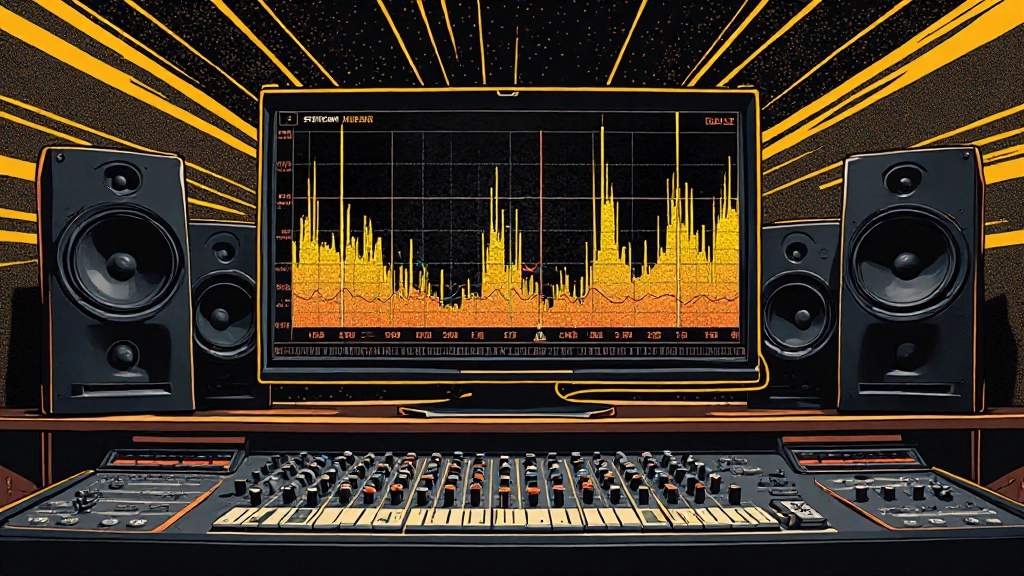
Use correlation meters to monitor the phase relationship between left and right channels. Values close to +1 indicate mono-compatible stereo imaging. Values approaching -1 suggest phase problems that will cause cancellation in mono. Most metering plugins include correlation displays alongside traditional level meters.
- Test mono compatibility on individual tracks before bus processing
- Check correlation meter values during mixing sessions
- Set up keyboard shortcuts for instant mono switching
- Solo each bus group and test mono translation separately
- Compare stereo and mono levels to identify phase-boosted elements
What to Check Before Upload
Before sending your mix anywhere—whether for mastering, distribution, or client approval—run it through a complete mono compatibility check on actual mono speakers. Your studio monitors in mono mode give you technical information, but a single speaker reveals how the mix actually feels in mono.
Export a mono version of your mix and compare it directly to the stereo version at matched levels. Elements that become significantly quieter in mono were probably too loud in the stereo mix, riding on phase-based level boosts rather than proper balance.
Check your mix on phone speakers, which often sum stereo signals to mono or use pseudo-stereo processing that can reveal phase issues. If your vocal gets buried when played through a phone, you'll know the stereo positioning was masking a fundamental balance problem.
When preparing stems for services like AI stem mixing, ensure each stem maintains its character in mono. Stems with built-in phase issues will create problems in any mixing environment, whether automated or manual. Clean, mono-compatible stems give you better results from any mixing process.
Correlation Meters and Phase Analysis
Correlation meters show you the phase relationship between your left and right channels in real-time. A reading of +1 means perfect mono compatibility—both channels contain identical information. A reading of 0 indicates uncorrelated stereo information, which usually translates well to mono. Negative readings warn of phase problems that cause cancellation.
Watch for correlation values that swing wildly during your mix. This often indicates stereo effects with varying delay times or modulation that creates inconsistent phase relationships. Steady correlation values, even if they're not perfect +1, usually translate better than constantly shifting phase relationships.
Some plugins and DAWs include phase scope displays that show you the actual phase relationship graphically. A narrow vertical line indicates mono compatibility, while a wide circular pattern shows strong stereo separation. Diagonal lines or figure-eight patterns often reveal phase problems that will cause mono cancellation.
When Stereo Width Actually Helps
Not every mix element needs to be mono-compatible. Ambient textures, reverb tails, and background elements can use stereo effects that don't translate perfectly to mono, as long as they're not essential to the mix balance. The key is ensuring that your fundamental elements—vocals, drums, bass, and primary melodic instruments—maintain their presence in mono.
Stereo enhancement can work well on elements that support rather than carry the mix. String sections, pad synths, and room tones benefit from width that might not translate perfectly to mono, because these elements provide texture rather than essential musical information.
Use stereo processing strategically on frequencies that don't contain crucial musical information. Adding width to the high-frequency content of a vocal (above 8kHz) can create air and presence without affecting mono compatibility, since the fundamental vocal information lives in the midrange.
Testing Your Mix Translation
Create a systematic testing routine that includes mono checks at multiple stages. Test individual tracks in mono during recording and editing, check bus groups in mono during mixing, and validate the final mix in mono before considering it complete.
Use reference tracks that you know translate well to mono. A/B your mix against these references in both stereo and mono to understand how professional mixes maintain their impact across different playback scenarios. Notice how the reference tracks balance width with mono compatibility.
If you're using online mixing services or getting feedback through platforms like Mix Feedback, mention any specific mono compatibility concerns in your notes. Professional mixing engineers can spot phase issues quickly and suggest solutions that maintain your creative vision while improving technical translation.
Common Questions About Mono Compatibility
Why do some professional mixes have correlation readings below +1?
Professional mixes often use controlled amounts of stereo processing that create width without mono cancellation. Correlation readings between +0.3 and +1.0 usually indicate good stereo imaging with acceptable mono translation. The key is avoiding negative correlation values that cause actual cancellation.
Should I mix entirely in mono to ensure compatibility?
Mixing entirely in mono can create flat, narrow-sounding results that lack modern stereo appeal. Instead, switch between stereo and mono frequently during mixing to ensure your spatial decisions work in both contexts. Build your fundamental balance in mono, then add controlled width that translates well.
How much level difference between stereo and mono is acceptable?
Well-balanced mixes typically show minimal level differences between stereo and mono playback. If elements drop more than 3-6dB in mono, they're likely depending too heavily on phase-based positioning. Consistent levels between stereo and mono indicate solid mix balance.
Can I fix mono compatibility issues during mastering?
Basic mono compatibility issues are best addressed during mixing when you have access to individual elements. Mastering can apply subtle mid-side processing to improve translation, but fundamental phase problems between instruments require mix-level solutions for proper correction.
Do streaming platforms actually use mono playback?
While most streaming platforms deliver stereo audio, many end-user devices and situations result in effective mono playback. Bluetooth speakers, phone speakers, PA systems, and even some car audio setups sum stereo to mono or use pseudo-stereo processing that reveals phase issues.
Why does my bass get thin in mono when it's centered in stereo?
Bass thinning in mono often indicates stereo processing applied to low-frequency content, or subtle timing differences between left and right channels. Check for stereo enhancement plugins, chorus effects, or sample delays affecting your bass signal, and ensure true mono summation for frequencies below 100Hz.
Hear what these choices do to your own song.
Upload stems or a finished track, choose a reference direction, and compare a private Moozix mix before you export anything.