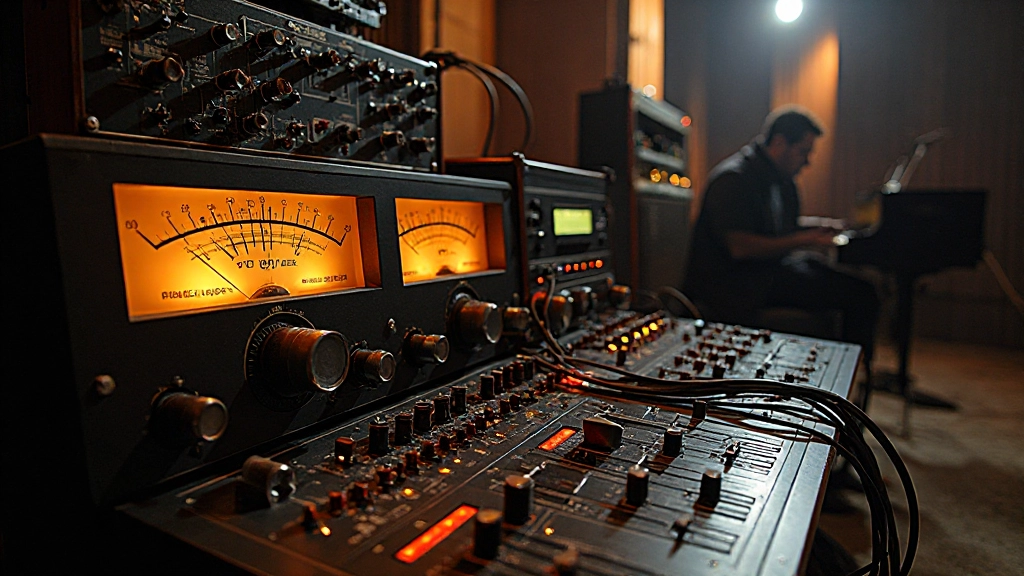
Marcus had been tracking vocals for three hours when he finally hit playback on what felt like the perfect take. The performance was there, the emotion was raw, the timing was flawless. Then the speakers delivered the crushing news: every powerful note was wrapped in a ugly digital blanket of distortion.
Sound familiar? You're not alone. Clipping during tracking remains one of the most heartbreaking mistakes in home recording, turning inspired performances into unusable digital artifacts. The worst part? It's often completely preventable once you understand where the problem actually starts.
The Anatomy of a Clipped Recording
Before we dive into solutions, let's get clear on what we're actually fighting. Clipping happens when an audio signal exceeds the maximum level your recording system can handle. Think of it like trying to pour a gallon of water through a funnel designed for a cup - something's got to give.
In the digital realm, this manifests as harsh, square-wave distortion that sounds nothing like the pleasing saturation of analog gear. Once it's printed to your track, there's no going back. No plugin can restore the lost information, no amount of EQ can smooth out those jagged peaks.
Where Clipping Actually Begins
Here's where most home recordists go wrong: they assume clipping only happens at the interface level. Sarah, a singer-songwriter I worked with last year, kept pulling her input gains down on her audio interface, confused why her vocals still sounded harsh. The real culprit was three feet away - her microphone was overloading from the source.
Clipping can occur at multiple stages in your signal chain:
- At the microphone capsule: Even before any preamp gets involved
- In the preamp stage: Whether built into your interface or external
- During analog-to-digital conversion: When levels exceed your interface's headroom
- Inside your DAW: When plugins or channel strips push signals too hot
The Microphone Overload Problem
Most condenser microphones have maximum SPL (Sound Pressure Level) ratings between 120-140 dB. A screaming vocalist six inches from the capsule can easily exceed this, causing the mic itself to distort before your preamp even sees the signal.
I learned this lesson the hard way during a drum session. The snare kept sounding crunchy despite conservative input settings. Moving the overhead mic just two feet higher solved the problem instantly - we'd been overloading the capsule with direct snare hits.
Quick SPL Solutions
Check your microphone's specifications for its maximum SPL rating. If you're recording loud sources:
- Increase distance between mic and source
- Use the microphone's pad switch if available (typically -10dB or -20dB)
- Consider switching to a dynamic microphone for very loud sources
- Angle the microphone slightly off-axis to reduce direct sound pressure
Preamp Gain Staging That Actually Works
The traditional advice "record hot to avoid noise" made sense in the analog tape era. With 24-bit digital recording, you have roughly 144dB of dynamic range to work with. You don't need to push levels anywhere near the red zone to get clean recordings.
"I started leaving 12-15dB of headroom on all my vocal tracks. Not only did the clipping disappear, but my mixes started sounding more open and natural. Turns out, breathing room matters."
Here's a practical gain staging approach that prevents problems before they start:
| Source Type | Peak Target Level | Typical Preamp Setting |
|---|---|---|
| Vocals (intimate) | -18dB to -12dB | Low to medium gain |
| Vocals (belting) | -20dB to -15dB | Lower gain, use pad |
| Acoustic guitar | -15dB to -10dB | Medium gain |
| Electric guitar (DI) | -12dB to -8dB | Medium to high gain |
| Bass (DI) | -15dB to -10dB | Medium gain |
The Interface Input Game
Your audio interface is the final gatekeeper before digital conversion. Even if everything upstream is clean, pushing the interface inputs too hard will create clipping that's impossible to fix later.
Most quality interfaces have input level meters - use them religiously. The goal is to see healthy signal levels without ever hitting the red. On interfaces with LED meters, aim to see occasional yellow peaks but never red. On software meters, keep peaks below -6dB for safety.
Input Monitoring vs. Recording Levels
Here's a confusion point that trips up many home recordists: the level you hear in your headphones during recording might not match what's actually being printed to your track. Some interfaces and DAWs apply monitoring effects or level adjustments that only affect what you hear, not what gets recorded.
Always check your actual recorded waveform after a take. If you're seeing clipped peaks in your DAW but your interface meters looked fine during recording, investigate your monitoring chain. Conversely, if your interface was showing red but your recorded track looks fine, you might have monitoring issues that are making you over-correct.
DAW-Level Clipping Prevention
Even with perfect input levels, you can still create clipping inside your DAW through plugin chains, channel EQ, or simply mixing multiple tracks too loud. Modern DAWs typically use 32-bit or 64-bit floating point for internal calculations, giving you massive headroom for processing - but the final output stage still has limits.
Watch these common DAW clipping scenarios:
- Boosting EQ frequencies significantly without reducing overall gain
- Stacking multiple saturation or distortion plugins
- Parallel processing that adds rather than replaces signal
- Master bus processing that pushes the final output too hot
When Clipping Happens Anyway
Despite best intentions, sometimes you'll end up with a clipped recording of an irreplaceable performance. While you can't truly fix digital clipping, there are some damage control options:
Clip Restoration Plugins
Tools like iZotope RX or Acon Digital DeClip can attempt to reconstruct clipped peaks using algorithms that estimate what the original waveform might have looked like. Results vary significantly depending on how severe the clipping is and how much of the signal is affected.
Creative Alternatives
Sometimes the best approach is to lean into the problem. That clipped vocal take might work perfectly in a lo-fi or punk context. Or you might be able to use it as a double track underneath a clean performance, adding grit without losing clarity.
Building Better Recording Habits
The best cure for clipping is prevention through consistent habits. Before every recording session:
- Test your full signal chain with the loudest expected performance level
- Verify that all gain stages have appropriate headroom
- Check that any hardware limiters or compressors aren't working too hard
- Set up your DAW track with a meter plugin to monitor recorded levels
- Do a quick 30-second test recording and check the waveform
Remember: in the age of 24-bit recording, conservative levels are your friend. That extra headroom isn't wasted space - it's insurance against ruined takes and frustrated musicians.
Marcus learned this lesson well. Six months after his clipping disaster, he called to tell me about a vocal session where everything went perfectly. The singer hit every note with power and emotion, and when playback came through the speakers, every detail was captured in pristine clarity. No digital artifacts, no regrets, just pure musical magic preserved exactly as it happened in the room.
That's the goal every time you hit record. Clean, clear, and ready to become something amazing in the mix.
Hear what these choices do to your own song.
Upload stems or a finished track, choose a reference direction, and compare a private Moozix mix before you export anything.