The bounce seemed perfect until Patricia played her folk album on a Bluetooth speaker and discovered her carefully crafted 96kHz/32-bit mix sounded like it was recorded through a tin can.
That moment taught me something crucial: the technical decisions you make before hitting "bounce" determine whether your mix survives the real world or crumbles the moment it leaves your studio. After years of watching talented producers sabotage their own work with poor export choices, I've developed a systematic quality control process that catches these problems before they become expensive mistakes.
Understanding the Export Equation
Every bounce decision creates a chain reaction. Your bit depth determines the noise floor. Your sample rate affects frequency response. Your file format dictates compatibility. Your dithering choice impacts how your mix translates to lower resolutions. Miss any link in this chain, and your professional mix can sound amateur on the wrong playback system.
The mathematics matter, but so does practicality. I learned this during a session with independent artist Derek Chambers, whose indie rock tracks demanded both pristine studio quality and streaming platform compatibility. We spent three hours perfecting a snare sound that disappeared entirely when converted to 128kbps MP3.
The Pre-Bounce Inspection
Before I touch any export settings, I run through a systematic listening check that reveals problems while they're still fixable. This isn't about perfecting the mix—that work should already be done. This is about ensuring the mix survives the journey ahead.
I start by playing the entire track through different monitoring scenarios within my DAW. First, I engage any mono compatibility switch and listen for elements that disappear or become muddy. Vocals that sound wide and impressive in stereo often turn thin and lifeless in mono. Bass lines can vanish completely if they rely too heavily on stereo information.
Next comes the frequency extremes test. I use a high-pass filter at around 80Hz to simulate what happens on small speakers, then switch to a low-pass at 8kHz to hear how the mix translates when high frequencies get compressed away. If core elements disappear during these tests, the mix needs adjustment before any bounce happens.
Critical Listening Positions
I've found that changing my physical listening position reveals issues that static monitoring misses. Sitting closer to the speakers exposes detail problems—clicks, pops, or digital artifacts that need addressing. Moving farther back simulates casual listening and shows whether the mix maintains its impact at lower volumes.
The most telling test involves stepping outside my studio and listening through the doorway. This crude but effective approach mimics how most people encounter music—as background sound competing with environmental noise. If your hook doesn't grab attention from the next room, it won't survive real-world playback.
Sample Rate Strategy for Modern Workflows
The sample rate discussion often devolves into technical arguments that miss practical realities. Higher isn't always better, especially when you consider the entire signal chain from your interface to the listener's ears.
| Sample Rate | Best Use Case | Compatibility | File Size Impact |
|---|---|---|---|
| 44.1kHz | CD mastering, streaming final | Universal | Baseline |
| 48kHz | Video sync, broadcast | Excellent | +9% vs 44.1 |
| 96kHz | Mastering headroom, archival | Limited | +118% vs 44.1 |
| 192kHz | Specialized mastering only | Poor | +336% vs 44.1 |
I typically record at 48kHz because it offers the best balance of quality and workflow efficiency. When Patricia brought her folk project to our mixing sessions, we tracked everything at 96kHz for maximum flexibility during editing, but I bounced mix stems at 48kHz to maintain reasonable file sizes while preserving the character of her fingerpicked acoustic arrangements.
The key insight: choose your sample rate based on your entire workflow, not just theoretical quality. If you're sending files to a mastering engineer who works primarily at 44.1kHz, bouncing at 192kHz creates unnecessary conversion steps that can introduce artifacts.
Bit Depth Decisions That Matter
Bit depth controls your dynamic range and noise floor, but the practical implications go beyond simple mathematics. The difference between 16-bit and 24-bit isn't just about signal-to-noise ratio—it's about how your mix behaves under different processing conditions.
I bounce all mixing stems at 32-bit float whenever possible. This format provides enormous headroom and prevents clipping even if your levels exceed 0dBFS. It's particularly valuable when sending files to collaborators whose monitoring setups might reveal level issues you missed in your room.
For final masters destined for CD or streaming platforms, the conversation changes. Most delivery specs require 16-bit files, which means you need a dithering strategy. I use shaped dither (typically TPDF or UV22) when converting from higher bit depths, but I also bounce intermediate versions at 24-bit for archival purposes.
The Headroom Calculation
Professional mixing engineer Rebecca Torres taught me to think about bit depth in terms of headroom allocation rather than just quality metrics. In 24-bit, you have roughly 144dB of dynamic range to work with. Most program material uses maybe 60-80dB of that range, leaving substantial room for processing artifacts, dither noise, and level variations.
This headroom becomes critical during mastering, where even subtle compression and EQ moves can accumulate digital artifacts if you're working too close to the noise floor. By bouncing mixes with 6-12dB of headroom at 24-bit or higher, you give the mastering process room to operate without degradation.
File Format Navigation
Choose your format based on the destination, not just quality preferences. WAV files offer universal compatibility but no metadata support. AIFF provides similar quality with better metadata handling on Mac-based systems. FLAC delivers compression without quality loss but isn't universally supported by older systems.
For mixing workflows, I stick with WAV or AIFF because they integrate seamlessly with every DAW and plugin I encounter. When archiving final mixes, I often create both an uncompressed version for future mixing work and a high-quality lossy version for sharing and collaboration.
- WAV for universal compatibility and mixing
- AIFF for metadata-rich archival
- FLAC for space-efficient lossless storage
- MP3 for mixing or mastering source material
Platform-Specific Considerations
Different distribution platforms have specific requirements that affect your bounce strategy. Spotify prefers 44.1kHz/16-bit or higher, but their loudness normalization means your peak levels matter less than your integrated LUFS measurement. Bandcamp accepts high-resolution files and preserves them for paying customers, making it worthwhile to upload 24-bit versions.
YouTube's audio processing pipeline works best with 48kHz files since that matches their internal sample rate. TikTok and Instagram compress everything heavily, so focusing on midrange clarity and impact becomes more important than frequency extremes.
The Final Verification Process
My quality control checklist runs through every critical parameter before I commit to a bounce. This systematic approach catches problems that random checking misses.
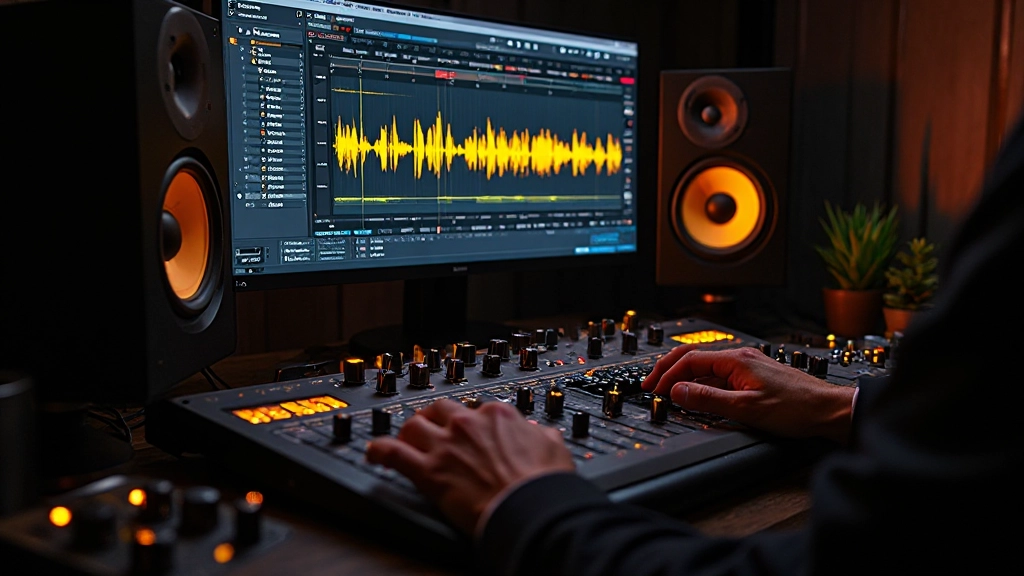
- Visual inspection: Check the waveform for unexpected peaks, dropouts, or asymmetry that might indicate processing problems.
- Phase correlation: Verify that your stereo image translates properly to mono playback systems.
- Frequency distribution: Use spectrum analysis to confirm your mix maintains balance across the frequency spectrum.
- Dynamic range measurement: Ensure your mix has appropriate dynamic range for its intended destination.
- Level verification: Confirm peak and RMS levels match your target specifications.
The most critical step happens after the bounce: importing the file back into a fresh DAW session and comparing it directly to your original mix. This A/B comparison reveals conversion artifacts, level changes, or format-specific issues that need addressing.
Real-World Testing
Technical measurements only tell part of the story. I also test every important bounce on multiple playback systems before considering it final. This means listening through my phone speaker, my car stereo, and a pair of consumer earbuds in addition to my studio monitors.
Each playback system reveals different aspects of your mix's translation. Phone speakers expose midrange problems and vocal intelligibility issues. Car stereos show how your mix competes with road noise and engine rumble. Earbuds reveal detail and stereo image problems that might not be obvious on larger systems.
"The bounce is where your artistic vision meets technical reality. Get it wrong, and months of creative work can be undone in seconds."
Building Bounce Confidence
Confidence in your bounce decisions comes from systematic testing and clear documentation. I maintain a bounce log that tracks the settings used for each project, along with notes about how those decisions affected the final result. Over time, this log becomes a valuable reference for future projects with similar requirements.
The goal isn't to memorize every possible setting combination, but to develop reliable decision-making processes that account for your specific workflow and quality standards. When you know your tools and trust your process, the technical aspects fade into the background and let your creative decisions take center stage.
Patricia's folk album eventually found its audience after we implemented these quality control steps. Her intimate acoustic arrangements translated beautifully across multiple formats because we made bounce decisions that supported her artistic vision rather than working against it. The technical foundation became invisible, exactly as it should be.
Hear what these choices do to your own song.
Upload stems or a finished track, choose a reference direction, and compare a private Moozix mix before you export anything.