The reverb tank hissed quietly in the corner while Tamara stared at her DAW screen, frustrated. Her latest folk-rock track had all the right elements – warm acoustic guitar, soaring vocals, punchy drums – but everything sounded flat and disconnected, like instruments recorded in separate universes.
"I keep adding more reverb plugins," she muttered to herself, "but nothing sits together." What Tamara didn't realize was that she'd been treating effects like individual seasoning packets instead of understanding the fundamental difference between sends and inserts. Two hours later, after working through a focused routing exercise, her mix had transformed from a collection of isolated sounds into a cohesive, dimensional soundscape.
The Psychology Behind Effects Routing Decisions
Understanding when to use send effects versus insert effects isn't just technical knowledge – it's about grasping how listeners perceive space and cohesion in a mix. Insert effects process the entire signal before it reaches your mix bus, fundamentally altering the character of individual tracks. Send effects, meanwhile, create parallel processing opportunities that can glue elements together while preserving their original character.
Think of insert effects as permanent modifications to your source material. When you insert a compressor on a vocal track, every bit of that vocal signal gets compressed before it hits your mix. The compressed vocal becomes the new "dry" signal. This approach works brilliantly for corrective processing – fixing pitch issues, taming harsh frequencies, or controlling dynamics that would otherwise cause problems downstream.
Send effects operate differently. They receive a copy of your dry signal, process it separately, and blend it back into the mix. This parallel processing approach means you maintain the integrity of your original recording while adding new dimensions. When Tamara learned to route her vocal reverb as a send rather than an insert, she could suddenly control how much of her dry vocal character remained intact while still placing it in a convincing acoustic space.
Setting Up Your Effects Routing Laboratory
Before diving into the creative applications, you need a systematic approach to compare routing methods directly. Create a simple session with four tracks: a vocal recording, an acoustic guitar, a bass, and a simple drum loop. This setup gives you enough complexity to hear routing differences without overwhelming your ears with too many variables.
Start by creating two auxiliary sends in your DAW. Label the first "Room Reverb" and load a medium-sized hall reverb with about 1.8 seconds of decay time. Label the second "Character Delay" and load a quarter-note delay with moderate feedback and a touch of high-frequency filtering to simulate analog tape.
- Set both auxiliary sends to 100% wet signal – no dry signal bleeding through
- Route small amounts of each track to both sends (start around -15dB)
- Create insert versions of the same effects on duplicate tracks
- A/B between the routing methods while listening for spatial coherence
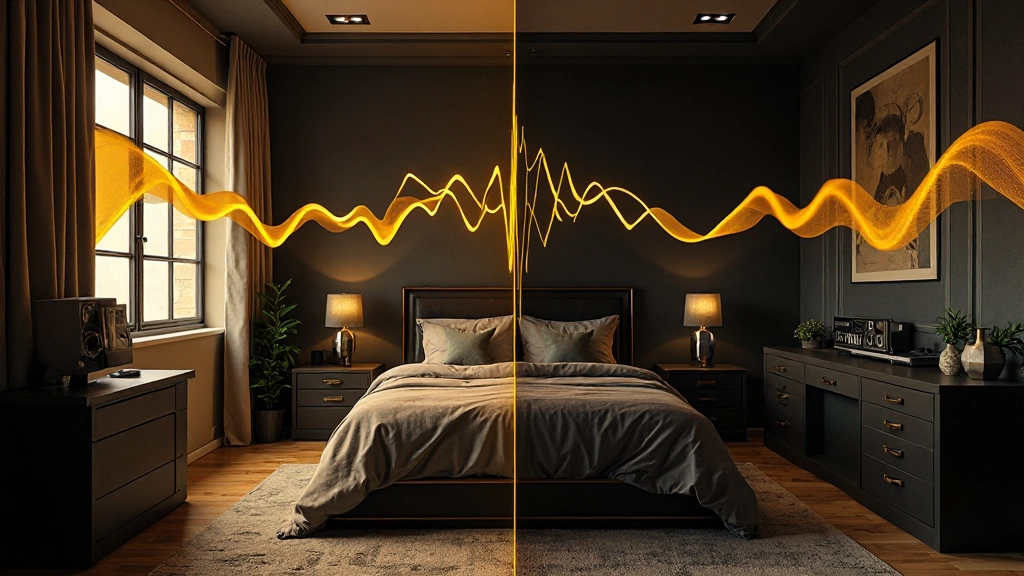
The difference becomes apparent within minutes. The send-processed tracks occupy the same acoustic environment, while the insert-processed versions each carry their own isolated reverb tail. Your ears start recognizing how send effects create the illusion that all instruments were recorded in the same physical space.
Practical Applications for Creative Send Routing
Once you understand the basic concept, send routing opens up creative possibilities that insert processing simply can't achieve. Consider the classic "vocal bus compression" technique used in countless hit records. Instead of compressing your lead vocal with an insert, route it to a heavily compressed auxiliary return, then blend that processed signal underneath the dry vocal.
"The magic happens in the blend. You get the punch and sustain from the compressed send, but the natural attack and character from the dry signal. It's like having the best of both worlds without compromise."
Mix engineer discussing parallel vocal compression
This parallel compression approach works brilliantly on drum buses as well. Create a send called "Drum Crush" with aggressive compression settings – fast attack, medium release, and 4:1 ratio or higher. Route your entire drum mix to this send, then blend it back underneath the natural drums. The result provides both the transient clarity of unprocessed drums and the sustain and glue that heavy compression provides.
For guitar textures, try routing clean acoustic strumming to a chorus effect send while keeping the dry signal prominent in the center. The chorused send, panned slightly wide, creates width and movement without making the guitar sound obviously processed. This technique appears on countless folk and indie recordings where guitars need presence without calling attention to their effects processing.
| Instrument | Insert Effect Best Use | Send Effect Best Use |
|---|---|---|
| Lead Vocal | Corrective EQ, De-esser | Reverb, Parallel Compression |
| Acoustic Guitar | High-pass Filter, Compressor | Chorus, Reverb, Delay |
| Bass Guitar | DI Processing, Saturation | Parallel Distortion |
| Drum Kit | Gate, Individual Drum EQ | Room Reverb, Parallel Compression |
Common Routing Mistakes That Kill Your Mix Depth
Even experienced home studio operators make fundamental routing errors that flatten their mixes. The most common mistake involves treating every effect as an insert, which prevents instruments from sharing acoustic spaces. When each track carries its own reverb tail with slightly different timing and character, the mix sounds like a collection of separate recordings rather than a cohesive performance.
Another frequent error involves using too many different reverb algorithms throughout a single mix. If your vocal sits in a hall reverb, your guitar in a plate reverb, and your drums in a room reverb, listeners unconsciously struggle to place the performance in a believable space. Limiting yourself to two or three reverb sends for an entire mix forces you to make intentional spatial decisions.
CPU management becomes critical when using multiple send effects. Some producers create elaborate send chains without considering the processing load. A more efficient approach involves bouncing send effects to audio once you've dialed in the perfect settings, freeing up processing power for additional creative decisions.
The Two-Hour Practice Session Structure
Now let's walk through the focused practice session that transformed Tamara's mixing approach. This exercise trains your ears to recognize the spatial differences between routing methods while building muscle memory for quick effect decisions.
Hour One: Comparative Analysis
Load a familiar mix with vocal, guitar, bass, and drums. Create identical reverb effects as both inserts and sends, then spend 15 minutes A/B testing each routing method on individual instruments. Document what you hear – not just the obvious differences, but subtle changes in how instruments relate to each other spatially.
Next, practice the "send blend" technique. Route each instrument to your reverb send at different levels, starting with subtle amounts (around -20dB) and gradually increasing until the effect becomes obvious. Notice how certain instruments need more send level to sit properly in the mix, while others require just a whisper of processing.
Hour Two: Creative Applications
The second hour focuses on creative send routing that goes beyond basic reverb and delay. Set up a parallel distortion send using guitar amp simulation or saturation plugins. Route small amounts of your bass and drums to this send, creating harmonic content that helps these instruments cut through busy mixes without losing low-end power.
Experiment with filtered send effects – route instruments to delays or reverbs that have been heavily EQ'd to remove competing frequencies. A vocal delay that's been high-passed at 800Hz and low-passed at 5kHz creates rhythmic interest without clouding your vocal's fundamental frequencies.
- Create three auxiliary sends maximum per mix
- Use consistent pre-delay times across all reverb sends
- Set send auxiliaries to 100% wet signal
- Route multiple instruments to the same spatial effects
- Use insert effects for corrective processing
Advanced Send Routing Workflows for Complex Productions
Professional mixing engineers often employ sophisticated send routing that goes far beyond basic reverb applications. Consider the "New York compression" technique, where drums get routed to a heavily compressed parallel bus that's then filtered and distorted before blending back into the mix. This approach provides both the natural attack of unprocessed drums and the aggressive sustain that drives rock and pop productions.
For electronic productions, try routing acoustic instruments to multiple time-based sends with different delay times. A vocal might feed a quarter-note delay, an eighth-note delay, and a dotted-eighth delay simultaneously, creating complex rhythmic interactions when the sends are blended at low levels. Each delay can be filtered differently – perhaps the quarter-note delay loses high frequencies while the eighth-note delay loses low frequencies, preventing frequency buildup while maintaining rhythmic complexity.
Frequency-specific send routing opens even more creative possibilities. Use a multiband compressor as a send effect, compressing only the midrange frequencies of your entire drum bus. This technique controls the "cardboard box" frequencies that often plague home studio drum recordings while leaving the attack and low-end punch intact.
Integrating Send Effects Into Your Mix Decision Process
The real breakthrough comes when send routing becomes part of your instinctive mix process rather than an afterthought. Start every mix session by creating your spatial sends first – typically a short room reverb, a longer hall or plate reverb, and one creative effect send that changes based on the song's needs.
As you balance individual tracks, consider their role in the song's spatial narrative. Lead vocals typically need moderate amounts of both room and hall sends to sit forward while maintaining space. Backing vocals often benefit from more aggressive send processing to push them behind the lead while keeping them audible. Percussion elements can live almost entirely in the send effects, creating atmosphere without cluttering the dry mix.
The key insight that transformed Tamara's approach was recognizing that send effects aren't just processing tools – they're spatial design elements that help listeners understand the emotional and physical environment of your song. A intimate acoustic ballad might use only subtle room reverb sends, while an anthemic rock chorus could employ parallel compression, filtered delays, and expansive reverb sends to create the sense of massive space and energy.
Two hours of focused practice with send and insert routing fundamentals will change how you approach every mix from that point forward. Instead of fighting to make individual tracks sound good in isolation, you'll start thinking about how each element contributes to the mix's overall spatial story – and your productions will finally sound like cohesive musical statements rather than collections of processed tracks.
Hear what these choices do to your own song.
Upload stems or a finished track, choose a reference direction, and compare a private Moozix mix before you export anything.