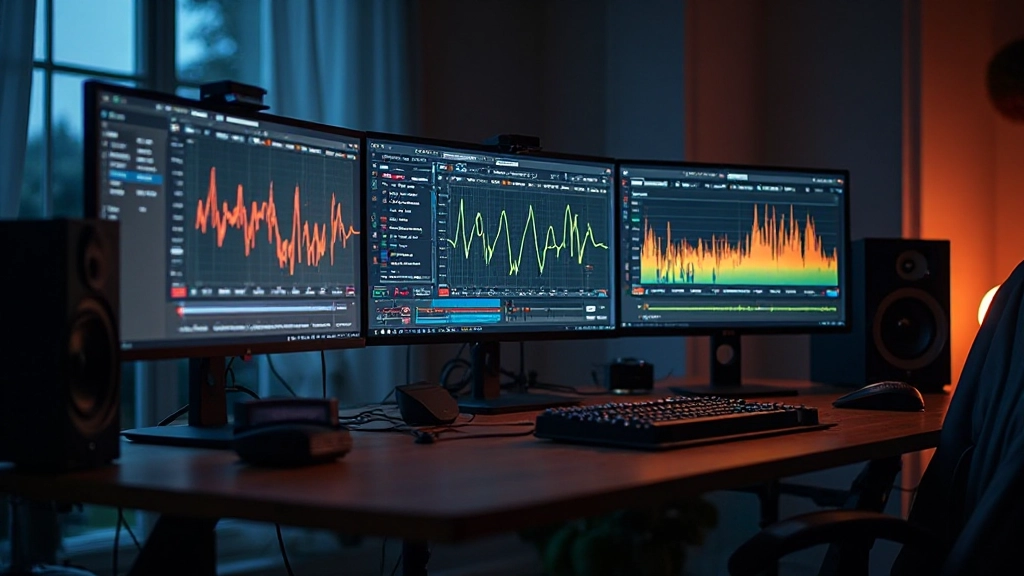
Marcus stared at his mix for the third hour straight, toggling between his studio monitors and headphones. The kick drum sounded perfect on his Yamahas but completely disappeared when he switched to his ATH-M50s. His vocal sat beautifully in the headphone mix but felt harsh through the speakers. Sound familiar?
This frequency tug-of-war happens in every home studio, but there's a revolution happening in mix analysis that doesn't require spending thousands on multiple reference monitors or acoustic treatment. AI-powered tonal balance analyzers are changing how we approach frequency balance, offering insights that were once available only to engineers with world-class monitoring chains.
The Frequency Blindness Problem
Every monitoring environment has frequency biases. Your room might emphasize 200Hz due to a standing wave, making you cut too much low-mid content from your mix. Your headphones might have a 3kHz boost that leads you to over-brighten vocals. Traditional solutions involved buying multiple sets of monitors, extensive acoustic treatment, or expensive spectrum analyzers.
But here's what changed the game: AI tonal balance tools can now analyze your mix against massive databases of professionally mastered tracks, revealing frequency imbalances that your ears and room might miss.
I discovered this firsthand when working with Sarah, an indie folk artist whose home studio sits above a busy street. Her room had serious low-end issues, but she couldn't afford proper acoustic treatment. Using AI tonal balance analysis, we identified that her mixes consistently lacked energy in the 80-150Hz range – not because of her mixing decisions, but because her room was lying to her about what was actually there.
How AI Tonal Analysis Actually Works
Unlike traditional spectrum analyzers that simply display frequency content, AI tonal balance tools use machine learning models trained on professionally mastered music. These systems analyze your mix in real-time and provide visual feedback showing where your frequency balance deviates from professional standards.
The technology works by:
- Genre Recognition: The AI identifies musical characteristics and suggests appropriate tonal targets
- Dynamic Analysis: Unlike static EQ curves, these tools account for how frequency balance changes throughout your song
- Context-Aware Feedback: The analysis considers musical context – a jazz ballad and a metal track will have completely different "ideal" frequency distributions
- Real-Time Correction Guidance: Some tools provide specific EQ suggestions to bring your mix closer to professional standards
The Home Studio Mixing Revolution
Let me walk you through exactly how this technology transforms a typical home studio session. Tommy produces electronic music in his apartment bedroom. His setup includes decent monitors, but the room is far from acoustically ideal. Here's his workflow using AI tonal balance analysis:
Initial Mix Assessment
Tommy loads his rough mix into his AI analyzer alongside his DAW. Immediately, he sees that his mix has excessive energy around 400Hz and is lacking presence in the 2-5kHz range. Without this tool, he might have spent hours A/B testing different speakers, never quite identifying the specific frequency issues.
Genre-Specific Targeting
The AI recognizes his track as progressive house and automatically adjusts its reference targets. What works for acoustic folk won't work for electronic dance music, and the AI accounts for these genre conventions.
| Frequency Range | Traditional Approach | AI-Assisted Approach |
|---|---|---|
| 60-250Hz | Guess based on room translation | Real-time comparison to genre targets |
| 250Hz-2kHz | Rely on monitor accuracy | AI identifies mud and clarity issues |
| 2-8kHz | Trust your ears and room | Dynamic analysis of presence content |
| 8kHz+ | Hope your tweeters are honest | AI detects harshness and air balance |
Real-Time Correction Workflow
As Tommy makes EQ adjustments, the AI analyzer updates in real-time. He applies a gentle high-pass filter at 40Hz, reduces the 400Hz buildup with a subtle cut, and adds presence around 3kHz. The AI feedback shows his mix moving closer to professional standards with each adjustment.
Beyond Basic Frequency Analysis
The most sophisticated AI tonal balance tools go far beyond simple frequency display. They analyze:
- Stereo Field Balance: Identifying frequency imbalances between left and right channels
- Dynamic Frequency Content: How your frequency balance changes between verse, chorus, and bridge sections
- Masking Detection: AI can identify when instruments are fighting for the same frequency space
- Translation Prediction: Some tools predict how your mix will translate to different playback systems
Jessica, a singer-songwriter I worked with recently, used AI masking detection to solve a persistent problem where her guitar and vocals seemed to fight each other. The analyzer revealed that both elements were peaking around 1.2kHz, creating the conflict. A small notch cut in the guitar's frequency response at that point allowed her vocal to sit perfectly in the mix.
Practical Integration Strategies
The key to using AI tonal analysis effectively isn't replacing your ears – it's augmenting your decision-making process. Here's how to integrate these tools into your existing workflow:
The Reference Check Method
Load 2-3 professionally mastered tracks in your genre into the analyzer first. This shows you what the "target zone" looks like for your style of music. Then analyze your mix and see where it deviates from these professional references.
The Problem-Solving Approach
When something sounds wrong but you can't identify the issue, let the AI analyzer point you toward potential problem frequencies. If your mix sounds muddy, look for excess energy in the 200-500Hz range. If it sounds harsh, check for peaks above 3kHz.
"AI tonal analysis doesn't replace the art of mixing – it removes the guesswork from technical problems so you can focus on creative decisions."
The Learning Accelerator
Use AI analysis as a learning tool. Pay attention to the patterns it reveals across your mixes. Maybe you consistently over-emphasize the 2-4kHz range, or perhaps you tend to leave too much low-mid content in your mixes. Understanding your mixing tendencies helps you improve faster than years of trial and error.
Avoiding the AI Analysis Trap
Like any powerful tool, AI tonal analysis can become a crutch if used incorrectly. Here are the pitfalls to avoid:
Chasing Perfect Scores: Not every mix needs to match textbook frequency distribution. A moody, atmospheric track might intentionally emphasize certain frequency ranges for creative effect.
Ignoring Musical Context: AI analyzers show you technical information, but they can't account for the emotional impact of your creative choices. A slightly dark mix might be perfect for your melancholy ballad.
Over-Correcting: Small deviations from "ideal" frequency balance often don't need correction. Use AI feedback to identify significant problems, not micro-manage every minor variation.
The Workflow Integration Reality
After six months of incorporating AI tonal analysis into my mixing process, here's what actually changed: I spend less time second-guessing frequency decisions and more time focusing on creative elements like dynamics, space, and emotional impact.
The technology doesn't make mixing decisions for me, but it eliminates the frustrating hours spent wondering whether that low-mid muddiness is real or just my room lying to me. It's like having a seasoned engineer looking over your shoulder, pointing out potential issues while leaving the creative decisions entirely in your hands.
For home studio producers working in less-than-ideal acoustic environments, AI tonal balance analysis offers something invaluable: objective feedback about your mix's frequency content that transcends the limitations of your monitoring setup. It's not about replacing human judgment – it's about giving that judgment better information to work with.
The next time you find yourself in that familiar frequency tug-of-war between different monitoring systems, remember that the solution might not require new speakers or expensive acoustic treatment. Sometimes the zero-dollar upgrade that transforms your mix workflow is simply knowing exactly what you're hearing – and what you're not.
Hear what these choices do to your own song.
Upload stems or a finished track, choose a reference direction, and compare a private Moozix mix before you export anything.