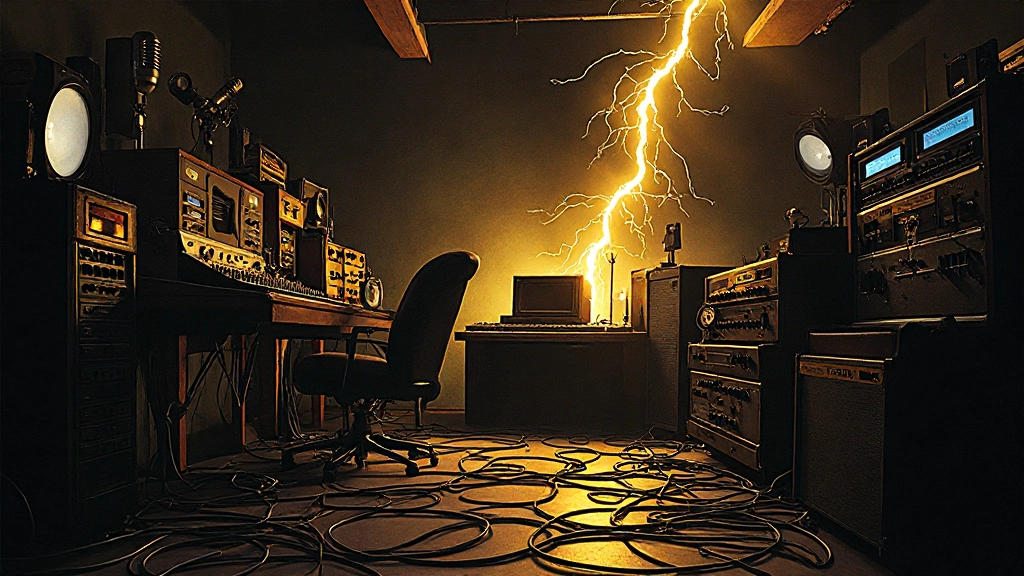
That persistent 60Hz hum isn't just annoying—it's the ghost of bad electrical design haunting every track you record. Here's how to banish it forever.
The Night Everything Went Silent (In a Bad Way)
Carter pressed the red button and immediately knew something was wrong. Instead of the warm, clean guitar tone he'd spent an hour dialing in, his monitors erupted with a symphony of electrical chaos: buzz, hum, and what sounded like a distant AM radio station bleeding through his pristine tube amp. Three hours later, after pulling every cable and checking every connection, he discovered the culprit—a single lifted ground on his audio interface that had turned his entire studio into an electromagnetic antenna.
This scenario plays out in home studios worldwide, and the solutions you'll find online often make things worse. Let's separate the myths from the methods that actually work.
Myth #1: All Ground Loops Are Created Equal
The biggest misconception about electrical noise is that every hum has the same cause. In reality, different types of interference require completely different approaches.
The Reality: Ground loops, electromagnetic interference (EMI), and radio frequency interference (RFI) each create distinct sonic signatures. A 60Hz hum with harmonics at 120Hz typically indicates a ground loop between audio equipment. A higher-frequency buzz often points to EMI from switching power supplies or LED lights. Static-like noise that changes when you move cables suggests RFI pickup.
Dustin, a producer I worked with last year, spent weeks chasing what he thought was a ground loop in his drum room. The persistent buzz turned out to be EMI from a dimmer switch controlling his overhead lights—something that wouldn't show up on a multimeter ground continuity test but was clearly visible in a frequency analysis.
Myth #2: Ground Lift Switches Fix Everything
Those little ground lift switches on DI boxes and audio interfaces seem like magic bullets, but they're often misunderstood and misused.
The Reality: Ground lifts work by breaking the ground connection between equipment, which can eliminate some ground loops but may create safety hazards and won't address EMI or RFI issues. More importantly, lifting grounds randomly can actually make noise worse by creating multiple isolated ground references.
The correct approach involves understanding your signal chain's ground topology. Audio equipment connected through balanced cables typically shares ground through the cable shield. When you have multiple paths to ground—through AC power and through audio connections—you create a loop that acts like an antenna.
| Problem Type | Frequency Range | Ground Lift Effect | Better Solution |
|---|---|---|---|
| Ground Loop | 60Hz + harmonics | Often helps temporarily | Single point grounding |
| EMI from switching supplies | 100Hz-20kHz | No effect | Ferrite cores, isolation |
| RFI from cell/radio | Variable, often >1MHz | No effect | Shielded cables, RF chokes |
| Fluorescent light buzz | 120Hz + odd harmonics | No effect | Physical distance, filtering |
Myth #3: Expensive Cables Solve Noise Problems
The audio industry loves selling "audiophile" cables as noise solutions, but the physics of interference doesn't respect price tags.
The Reality: Cable quality matters for noise rejection, but the critical factors are shielding effectiveness, connector quality, and proper termination—not exotic materials or inflated prices. A well-constructed $25 cable with 95% shield coverage will outperform a $200 cable with poor connectors every time.
What actually matters for noise rejection:
- Shield coverage percentage (aim for 90% or higher)
- Connector quality and proper strain relief
- Appropriate cable length (longer isn't always better)
- Proper cable routing away from power lines
- Consistent impedance matching
Miranda learned this lesson the hard way when she dropped $800 on boutique microphone cables, only to discover that her noise issues stemmed from running audio cables parallel to AC power cords under her studio desk. Moving the cables six inches apart eliminated the interference completely.
Myth #4: Power Conditioners Are Snake Oil
On internet forums, you'll find heated debates about whether power conditioners do anything beyond separating musicians from their money. The truth is more nuanced.
The Reality: Basic surge protector strips with "power conditioning" marketing are mostly useless for audio applications. However, proper isolation transformers and EMI filtering can make measurable differences in noisy electrical environments. The key is understanding what you're actually buying.
Effective power conditioning for audio involves:
- EMI/RFI filtering: Removes high-frequency noise riding on AC power lines
- Isolation transformers: Break ground loops between equipment powered from different circuits
- Voltage regulation: Maintains consistent AC voltage under varying loads
- Common mode choke filtering: Reduces noise that appears equally on both hot and neutral conductors
A recording engineer I know in Nashville saw dramatic noise reduction in his vocal booth after installing an isolation transformer—not because of mystical "power purification," but because it eliminated a ground loop between his preamp (powered from a kitchen circuit) and his audio interface (powered from a studio circuit).
"The best power conditioner is proper electrical installation with dedicated 20-amp circuits for audio gear. Everything else is just mitigation."
Myth #5: Digital Gear Is Immune to Electrical Noise
The shift to digital recording created a false sense of security about electrical interference. While digital audio itself is more robust than analog, digital gear still operates in the analog world.
The Reality: Digital audio interfaces, computers, and digital effects units all contain analog input and output stages susceptible to electrical interference. Additionally, switching power supplies in digital gear can generate EMI that affects other equipment.
Common digital-era noise sources include:
- Laptop switching power supplies creating EMI
- USB and Firewire cables acting as antennas
- Clock jitter from poor power quality affecting converters
- Ground loops between computer chassis and audio interfaces
- EMI from internal computer components (hard drives, graphics cards, processors)
The solution involves treating digital gear with the same electrical hygiene as analog equipment: proper grounding, quality power, and intelligent cable routing.
Myth #6: You Can Fix Noise Problems in the Mix
Modern noise reduction plugins are impressive, but they're not magic erasers for fundamental electrical problems.
The Reality: While software can reduce some types of noise, it always involves compromise. Every noise reduction algorithm removes some musical information along with the noise. More critically, severe electrical interference can overload input stages, creating distortion that no amount of post-processing can repair.
The "fix it in post" mentality leads to:
- Degraded audio quality from aggressive noise reduction
- Lost musical dynamics and high-frequency detail
- Artifacts that become more obvious on high-end playback systems
- Wasted time in post-production that could be eliminated at the source
Professional studios invest heavily in clean electrical infrastructure precisely because they understand that pristine recordings start with noise-free signal paths.
The Real Solutions That Work
After debunking the myths, here are the proven techniques that actually solve electrical noise problems:
Star Grounding Architecture
Instead of daisy-chaining equipment grounds, establish a single central grounding point for all audio gear. This eliminates ground loops by ensuring every piece of equipment references the same ground potential.
Dedicated Audio Circuits
Run dedicated 20-amp circuits for audio equipment, separate from lighting, computers, and other high-EMI devices. Use hospital-grade outlets with isolated grounds where building codes permit.
Strategic Cable Routing
Keep audio cables perpendicular to power cables where they must cross. Maintain at least 6 inches of separation when running parallel. Use cable trays or conduit to maintain consistent separation.
EMI Source Elimination
Identify and relocate EMI sources: LED lights with switching power supplies, wireless routers, computer monitors, and appliances. Sometimes the solution is as simple as moving a router to another room.
Proper Shielding Techniques
Ensure cable shields connect to chassis ground at only one end (typically the source) to avoid creating ground loops through the shield itself. Use balanced connections wherever possible to take advantage of common-mode rejection.
Testing Your Progress
As you implement these solutions, measure your progress objectively:
- Baseline recording: Record silence with all gear connected, no instruments
- Spectrum analysis: Identify specific frequencies of interference
- Step-by-step isolation: Add equipment one piece at a time to identify noise sources
- Document changes: Keep notes on what modifications help or hurt
- Real-world testing: Test with actual instruments and vocals, not just electronic sources
The goal isn't perfect silence—some noise floor is inevitable and often inaudible in musical context. The goal is reducing interference to levels that don't interfere with artistic expression.
When to Call for Help
Some electrical issues require professional intervention. Call a qualified technician when you encounter:
- Voltage irregularities or fluctuations
- Equipment that operates normally elsewhere but has noise issues in your space
- Noise that appears suddenly after electrical work in your building
- Multiple ground fault interruptions
- Any situation involving permanent electrical modifications
Professional studio electricians understand both audio requirements and safety codes—an investment that pays dividends in recording quality and peace of mind.
Building Clean Signal Paths
The most effective approach to electrical noise isn't reactive—it's architectural. When setting up any recording space, consider the electrical environment as carefully as the acoustic treatment.
Plan your signal flow to minimize ground loop opportunities. Use balanced connections throughout the chain. Invest in quality power distribution designed for audio applications. Keep digital switching circuits physically separated from sensitive analog circuits.
Remember that electrical noise isn't just a technical problem—it's a creative barrier. Every moment spent troubleshooting hum and buzz is time not spent capturing musical performances. Every noise gate and frequency cut applied to mask electrical problems reduces the dynamic range and frequency response available for artistic expression.
By understanding the real causes of electrical interference and applying proven solutions rather than chasing myths, you can create recording environments that serve music instead of fighting it. The silence between notes should be truly silent, leaving space for the music to breathe and bloom without the constant undercurrent of electrical noise.
Clean audio starts with clean power and proper grounding. Everything else—the microphones, preamps, and converters—can only work as well as the electrical foundation you provide them.
Hear what these choices do to your own song.
Upload stems or a finished track, choose a reference direction, and compare a private Moozix mix before you export anything.