Your headphone mix sounds polished and balanced. Every element sits where it should, the vocals cut through perfectly, and the low end feels controlled. Then you switch to speakers and everything falls apart. The bass either vanishes or overwhelms the room, vocals get buried behind the instruments, and that crisp high-end turns into ear-piercing harshness. This translation gap happens to nearly every home studio producer, but the solution isn't random trial and error.
Quick Translation Fixes
- Check your listening level first - headphones often mask volume-dependent frequency issues
- Test mono playback on speakers to reveal phase and panning problems hidden in headphones
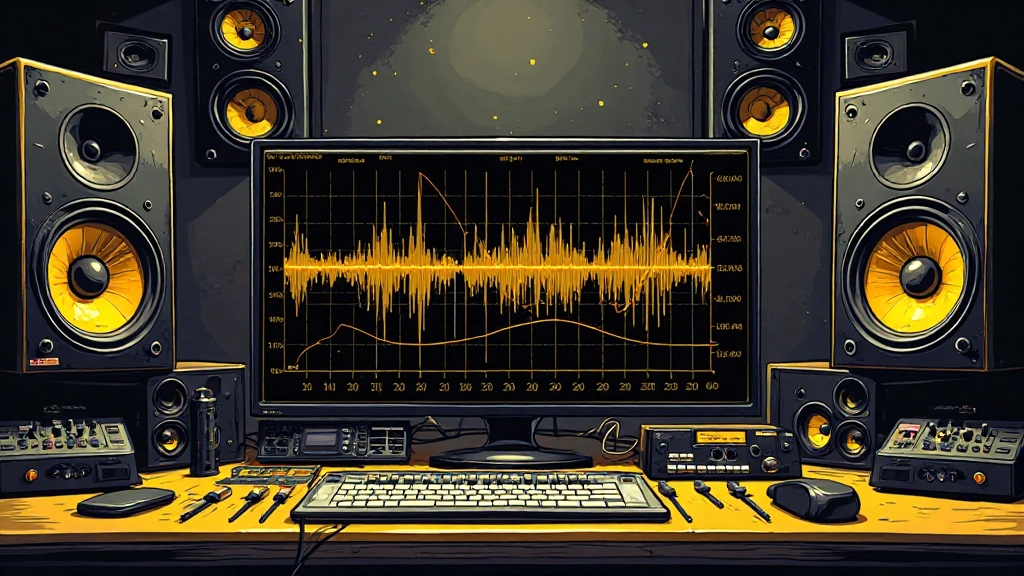
- Use a spectrum analyzer to compare headphone and speaker frequency response at the same SPL
- Apply gentle room correction EQ to compensate for your speaker placement and acoustics
- Reference commercial tracks through both systems to establish reliable comparison points
- Focus on fixing the 200-800 Hz range where most headphone-to-speaker translation problems occur
Why Your Headphone Mix Misleads You About Speaker Translation
Headphones create an artificial stereo field that doesn't exist in real rooms. Each ear receives only one channel with no acoustic crosstalk, making separation and imaging seem more dramatic than speakers can reproduce. This isolation also masks frequency buildup that becomes obvious when sound waves interact with room boundaries and speaker placement.
The proximity effect compounds the problem. Headphone drivers sit millimeters from your ears, creating an intimate frequency response that bears little resemblance to speakers firing sound across several feet of air. Bass frequencies that sound controlled and musical in headphones often translate as either weak or overwhelming through speakers, depending on your room's acoustic response and monitor placement.
Most critically, headphones don't reveal how your mix behaves in mono or when stereo information collapses. Speakers naturally sum low frequencies to mono due to wavelength physics, and any phase issues between left and right channels become immediately audible as hollow or canceled sound.
The Three-Stage Speaker Check That Reveals Hidden Problems
Start your speaker translation check at moderate volume - around 70-75 dB SPL if you have a meter, or conversational speaking level if you don't. Headphone mixes often sound balanced at low volumes but reveal frequency imbalances when played louder through speakers.
First, listen in stereo for overall balance. Does the bass sound proportional to the rest of the mix? Are vocals still clear and present? Note any frequencies that jump out as harsh or missing compared to your headphone reference.
Second, switch to mono playback. This reveals phase cancellation, stereo width processing that doesn't translate, and panning decisions that work in headphones but create holes in speaker reproduction. If elements disappear or sound hollow in mono, you've found translation issues that need fixing.
Third, walk around your room while the mix plays. Headphones give you one fixed listening position, but speakers create different frequency responses depending on where you stand. If the bass disappears when you step away from the sweet spot, or if certain frequencies become overwhelming near walls, your mix needs adjustment for real-world playback.
Reading Your Room's Frequency Response
Your listening room shapes what you hear through speakers far more than headphone acoustics affect your closed-back monitoring. Small rooms typically boost frequencies around 100-200 Hz due to standing waves, while absorbing high frequencies that bounce off furniture and soft surfaces.
Place a spectrum analyzer on both your headphone output and speaker output, playing the same reference track at matched volumes. The difference between these curves shows you exactly where your room and speakers deviate from your headphone response. Most rooms show a low-mid bump and a high-frequency rolloff compared to good headphones.
Near-field monitors placed close to walls often emphasize bass frequencies that don't appear in headphone monitoring. If your speakers sit within three feet of the back wall, expect 2-6 dB of boost in the 80-150 Hz range. Desktop setups near computer monitors and hard surfaces create additional reflection patterns that alter midrange clarity.
Common Room Response Patterns
Small bedrooms and home studios typically show bass buildup around 100-200 Hz, a midrange dip around 300-500 Hz due to furniture absorption, and high-frequency rolloff above 8 kHz. Desktop setups add reflection boost around 1-3 kHz from nearby surfaces.
Frequency Zones That Break During Headphone-to-Speaker Translation
The 200-800 Hz range causes the most headphone-to-speaker problems. Headphones reproduce this midrange with clinical accuracy, while speakers and rooms interact to create peaks and dips that change how vocals, snares, and guitar fundamentals sit in the mix.
Sub-bass below 60 Hz often disappears entirely on smaller speakers, while the 60-120 Hz range becomes either muddy or thin depending on room acoustics. Headphone mixes frequently have too much sub-bass information because you can't feel the physical impact that speakers provide in a room.
The 2-5 kHz presence range translates differently because headphones place this energy directly at your ear, while speakers must project it across distance. Mixes that sound smooth in headphones often need slight presence boost for speaker clarity, but too much creates harshness that headphones don't reveal.
| Frequency Zone | Headphone Behavior | Speaker Issues | Quick Fix |
|---|---|---|---|
| 20-60 Hz | Clean, controlled | Often inaudible or overwhelming | High-pass filter unnecessary content |
| 60-120 Hz | Accurate response | Room-dependent boost/cut | EQ based on room measurement |
| 200-500 Hz | Clear separation | Muddy or boxy buildup | Gentle cut around 300-400 Hz |
| 1-3 kHz | Present but smooth | Harsh or buried | Adjust based on speaker proximity |
| 8+ kHz | Crisp detail | Either dull or piercing | Reference commercial tracks for balance |
Level-Matching Your Headphone and Speaker References
Volume differences between headphones and speakers mask translation problems. Most people monitor louder in headphones than they realize, which makes bass and treble seem more present due to equal-loudness contours. When you switch to speakers at a different level, the frequency balance shifts even if the mix hasn't changed.
Use a decibel meter app or hardware meter to match SPL between your headphone and speaker monitoring. Place the meter where your head normally sits for speaker listening, then adjust speaker volume to match your typical headphone monitoring level.
If you don't have measurement tools, play a familiar reference track and adjust speaker volume until the vocal presence and bass impact feel similar to your headphone monitoring. This establishes a consistent comparison baseline for evaluating your mix translation.
The False Fixes That Make Translation Worse
Adding broad high-frequency boost to compensate for dull speaker sound usually backfires. The problem often lies in midrange buildup that makes highs seem muffled, not actual high-frequency loss. Boosting treble without addressing muddy mids creates a harsh mix that translates poorly to other systems.
Cutting bass frequencies drastically because they sound overwhelming on speakers often leaves your mix thin and weak on systems with good low-end response. The issue might be room acoustics or speaker placement rather than mix content. Test your mix on multiple speaker systems before making major low-end adjustments.
Over-widening stereo elements to compensate for headphone intimacy creates translation problems on mono-compatible systems. Speakers naturally provide spatial information through acoustic crosstalk, so excessive stereo processing sounds artificial and creates phase issues when summed to mono.
Setting Up Reliable Speaker Reference Points
Choose three commercial tracks that you know intimately through both headphones and various speaker systems. These references should span your genre and show clear vocal presence, controlled low end, and appropriate stereo width when played through speakers.
Load these references into your DAW and level-match them to your mix using a LUFS meter. Play each reference through your speakers, noting how vocals sit in the midrange, how much bass energy reaches your listening position, and how stereo elements translate compared to headphones.
When your mix matches these references on speakers - not just headphones - you've achieved reliable translation. Focus on vocal clarity first, then low-end balance, then stereo width. Most translation problems resolve when vocals and bass work consistently across both monitoring systems.
Work It in Your DAW: Speaker Translation EQ
Create a reference mix bus in your DAW specifically for speaker checking. Insert an EQ plugin and analyzer to visualize frequency differences between headphone and speaker monitoring.
- Play your mix through headphones and capture a spectrum analysis screenshot
- Switch to speakers at matched volume and overlay a new spectrum analysis
- Identify the largest frequency differences, typically in the 100-300 Hz and 2-5 kHz ranges
- Apply gentle corrective EQ to your mix bus - usually a slight cut around 200-400 Hz and subtle adjustment in presence frequencies
- A/B between your original mix and the speaker-corrected version on multiple playback systems
- If the corrected version translates better to headphones, cars, and other speakers, commit the changes
Keep these corrections subtle - no more than 2-3 dB of adjustment. Heavy-handed EQ creates new problems on other playback systems. The goal is improving translation consistency, not perfecting your specific speaker setup.
What to Check Before Uploading Your Speaker-Translated Mix
Test your final mix on at least three different speaker systems before calling it complete. Laptop speakers, car audio, and a bluetooth speaker provide insight into how your translation choices work across various frequency responses and room acoustics.
Check mono compatibility by summing your mix to mono and listening through speakers. Any elements that disappear or sound thin indicate phase problems that headphone monitoring missed. Most streaming services and radio stations sum low frequencies to mono, making this check essential for professional translation.
Verify your mix at both low and moderate volumes through speakers. Headphone mixes often rely on details that disappear at low speaker volumes, while compression and EQ choices that work in headphones might sound harsh when speakers are pushed louder.
Consider using Mix Feedback to get objective analysis of how your speaker translation choices affect overall balance and commercial compatibility. AI analysis can spot frequency imbalances that develop during the headphone-to-speaker adjustment process.
When Your Room Requires Different Mix Decisions
Heavily treated rooms with minimal reflections often translate headphone mixes more accurately than typical home studios. If your space has significant acoustic treatment, the gap between headphone and speaker monitoring narrows considerably.
Conversely, rooms with hard surfaces and minimal treatment require more aggressive mix adjustments to compensate for reflection patterns and standing waves. You might need to reduce midrange content more drastically or adjust stereo width to account for acoustic crosstalk.
Consider the acoustic environment where your music will be played most often. Club systems, car audio, and home stereos all emphasize different frequency ranges and respond differently to stereo processing. Sometimes the best translation choice differs from what sounds optimal in your specific room.
Using AI Tools to Bridge Headphone-Speaker Translation Gaps
Modern AI mastering tools can help identify translation issues that develop when moving between headphone and speaker monitoring. These systems analyze frequency balance against large databases of commercial releases, providing objective feedback about potential translation problems.
When preparing stems for AI stem mixing, consider creating separate versions optimized for headphone and speaker monitoring. AI algorithms can sometimes detect translation issues and apply subtle corrections that improve cross-system compatibility.
AI analysis works best when you provide well-balanced source material rather than trying to fix major translation problems in post. Use AI feedback to refine your headphone-to-speaker workflow, not as a substitute for proper monitoring technique and room awareness.
Common Questions About Headphone-to-Speaker Mix Translation
Should I mix primarily on headphones or speakers?
Use both systems throughout your mixing process rather than choosing one primary monitor. Start mix decisions on your most accurate system, then verify translation on the other. Most professionals use speakers for overall balance and headphones for detail work and stereo imaging.
Why does my bass disappear when I switch from headphones to small speakers?
Small speakers can't reproduce frequencies below 80-100 Hz that headphones handle easily. Your mix might rely too heavily on sub-bass content. Add harmonic content in the 100-200 Hz range to make bass elements audible on smaller systems.
How much room treatment do I need for accurate speaker monitoring?
Focus on controlling first reflections and bass buildup rather than creating a dead room. Bass traps in corners and absorption panels at reflection points provide the biggest improvement for mix translation accuracy without requiring extensive treatment.
Can I trust headphone mixes for commercial release?
Headphone-only mixes can work for commercial release if you verify translation on multiple speaker systems and check mono compatibility carefully. Many successful producers work primarily in headphones, but they always validate their choices through speakers before finalizing.
What's the most common EQ mistake when translating headphone mixes to speakers?
Over-correcting for room acoustics instead of addressing mix issues. If your speakers sound boomy, the problem might be room placement or acoustic treatment rather than too much bass in your mix. Test multiple speaker systems before making drastic EQ changes.
How do I know if translation problems come from my room or my mix?
Play commercial references through your speakers and compare them to how they sound through headphones or other systems. If professional mixes sound similarly imbalanced in your room, the issue is acoustic. If only your mixes translate poorly, focus on mix adjustments.
Hear what these choices do to your own song.
Upload stems or a finished track, choose a reference direction, and compare a private Moozix mix before you export anything.