Your kick drum punches hard in solo. Your bass line grooves perfectly on its own. But when you play them together, something's wrong. The low end sounds hollow, the kick disappears, or the bass suddenly loses its fundamental. You've tried EQing them into separate frequency lanes, but the problem persists. This isn't a frequency clash you can carve out with a high-pass filter. It's a phase and timing relationship that requires a different approach entirely.
Quick Takeaways
- Phase cancellation between kick and bass can happen even when they occupy different frequency ranges
- Timing offsets as small as 10-20 milliseconds can weaken low-end impact
- Solo tests won't reveal kick-bass phase problems that only appear in the full mix
- Moving bass notes slightly ahead or behind the kick timing often fixes more than EQ cuts
- Phase inversion on one element can instantly solve cancellation issues
- Mono summing tests reveal hidden phase conflicts your stereo monitors might miss
What Your Low End Is Really Telling You
When kick and bass fight, your ears hear specific symptoms that point to timing and phase issues rather than frequency overlap. A hollow or scooped low end usually means phase cancellation is happening between the fundamental frequencies. If the kick seems to disappear when the bass plays, but you can see both waveforms clearly in your DAW, the problem is likely phase alignment. When the bass loses punch only during kick hits, the timing relationship between the attack transients needs adjustment.
The key difference between frequency masking and phase cancellation is how the elements sound together versus apart. Frequency masking makes one element muddy or indistinct. Phase cancellation makes both elements weaker, creating a sense that the low end has been scooped out even though both parts are present in the mix.
| What You Hear | Likely Cause | Quick Test |
|---|---|---|
| Hollow, scooped low end | Phase cancellation | Flip phase on bass or kick |
| Kick disappears during bass notes | Timing alignment issue | Nudge kick forward 10-20ms |
| Bass loses punch on kick hits | Attack transient conflict | Nudge bass backward 5-15ms |
| Low end sounds weak in mono | Stereo phase problems | Check mono sum, adjust bass width |
| Inconsistent low end between sections | Variable phase relationships | Lock timing to same grid position |
Phase Relationship Diagnosis in Your DAW
Most DAWs include phase correlation meters that show you when phase cancellation is happening. In Pro Tools, Logic, or Ableton, load a correlation meter on your mix bus and solo your kick and bass together. When the meter swings toward -1 during kick hits, you've got phase cancellation. Perfect correlation reads +1, random correlation hovers around 0, and cancellation pushes toward -1.
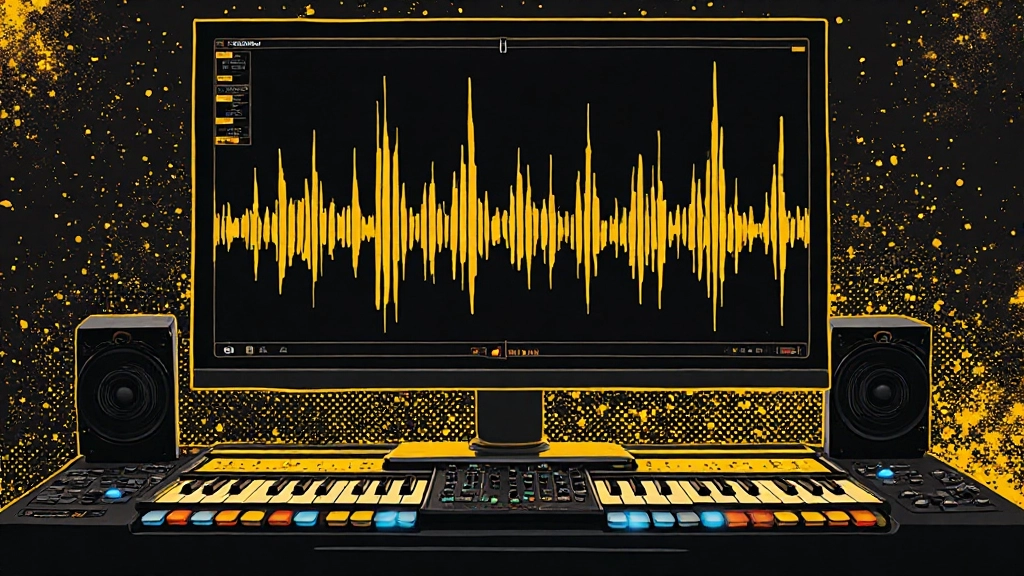
The visual approach works just as well. Zoom into your kick and bass waveforms at the timeline level. When both elements hit simultaneously, look at the wave shapes. If the kick waveform pushes up while the bass waveform pushes down at the same moment, they're fighting each other. This visual check works even if you don't have dedicated phase metering.
In Logic Pro, use the MultiMeter plugin on a bus that combines only your kick and bass. Set it to show correlation and watch the needle during playback. Consistent negative correlation during kick hits confirms phase issues. In Ableton Live, the Utility device shows phase relationships when you route kick and bass to the same return track temporarily for testing.
Setting Up Phase Tests Without Fancy Plugins
- Create a new audio track in your DAW
- Set its input to receive from a bus that has only your kick and bass
- Record a few bars of kick and bass together onto this track
- Zoom in and visually inspect the combined waveform
- Look for areas where the waveform appears weak or hollow compared to individual elements
- Mark these timing positions for correction
Timing Offset Solutions That Actually Work
Small timing adjustments often solve kick-bass conflicts more effectively than EQ cuts. Moving the bass track forward or backward by 10-30 milliseconds can align the attack phases constructively instead of destructively. The goal is to position the attack transients so they reinforce each other rather than cancel.
Start by nudging your bass track backward by 15 milliseconds. This slight delay often allows the kick's initial transient to establish itself before the bass fundamental hits. If that weakens the groove, try moving the kick forward by 10 milliseconds instead. Sometimes the solution is offsetting them in opposite directions to create space between the attack moments.
For programmed elements, try quantizing them to different grid subdivisions. Put your kick exactly on the beat and quantize your bass to slightly ahead or behind, around 10-20 ticks in most DAWs. This creates a natural timing offset that can solve phase conflicts while maintaining the groove.
Timing Adjustment Mistakes to Avoid
Don't move elements by large amounts like 50-100ms hoping to solve phase issues. These big shifts usually hurt the groove and create new timing problems. Also avoid applying timing corrections while monitoring in headphones only, as the close stereo field can mask mono phase issues that speakers will reveal.
When Phase Flip Creates Instant Improvement
Phase inversion is the fastest test for kick-bass conflicts. Most DAWs include a phase flip button on each track or in the channel EQ. Try flipping the phase on your bass track first, then play the kick and bass together. If the low end immediately sounds fuller and more solid, phase cancellation was the culprit.
If flipping the bass phase doesn't help or makes things worse, try flipping the kick phase instead. Sometimes the solution requires flipping both elements, especially if they were recorded with different microphone polarities or processed through plugins that affect phase relationships.
Phase flipping works particularly well when you're using sampled or programmed elements that might have been processed differently before reaching your session. Many drum samples and bass patches have been EQed or compressed in ways that affect their phase characteristics compared to the raw recordings.
Frequency Separation After Phase Alignment
Once you've solved the phase and timing relationship, traditional frequency separation becomes much more effective. High-pass filtering your bass around 30-40 Hz can clean up subsonic rumble that conflicts with kick fundamentals. A subtle low-mid cut around 80-120 Hz on the bass can make room for the kick's body without gutting the bass tone.
On the kick side, a gentle high-pass around 25-35 Hz removes unnecessary low end that adds weight without impact. A slight boost around 60-80 Hz can enhance the kick's fundamental after you've aligned it properly with the bass timing.
The key difference is making these EQ moves after fixing the phase relationship. When elements are properly aligned, you need much smaller EQ adjustments to achieve separation. This preserves the natural tone of both elements instead of carving out large frequency chunks.
EQ Settings That Support Phase-Aligned Elements
- Bass: High-pass at 35 Hz, slight cut at 100 Hz if needed for kick space
- Kick: High-pass at 30 Hz, gentle boost at 65 Hz for body, cut at 200-300 Hz if boomy
- Both: Use bell curves instead of steep slopes to maintain phase coherency
- Test: Check that EQ changes don't reintroduce phase issues with real-time metering
Mono Summing Reveals Hidden Problems
Phase issues between kick and bass often become obvious only when you sum your mix to mono. Many bedroom producers and home studio setups don't regularly check mono compatibility, but this test reveals phase cancellation that might not be obvious on near-field monitors or headphones.
In your DAW, insert a utility plugin on your mix bus that can sum the stereo signal to mono. Play your kick and bass together while switching between stereo and mono modes. If the low end disappears dramatically in mono, you have phase cancellation that needs correction.
This mono test is especially important if your bass track has any stereo width from chorus, delay, or stereo bass amp simulation. Wide bass can phase-cancel with centered kick drums in unpredictable ways. The solution is often narrowing the bass or ensuring its fundamental frequencies remain centered while only the harmonics spread wide.
Compression Timing and Phase Effects
Compression can create or solve kick-bass phase conflicts depending on how you set the attack and release times. Fast attack compression on either element can change the shape of the attack transient, potentially improving or worsening phase alignment with the other element.
If your kick and bass are properly aligned but still sound disconnected, try using the same compressor model on both tracks with similar attack settings. This creates consistent phase behavior in the compression curve. Some engineers use parallel compression on a bus containing both kick and bass to glue them together after solving the fundamental phase alignment.
Avoid using drastically different compression attack times on kick versus bass. A 1ms attack on the kick and a 30ms attack on the bass can create timing differences that undo your careful phase alignment work. When possible, choose complementary compression settings that support the timing relationship you've established.
Using Reference Tracks for Low End Timing
Professional mixes offer excellent examples of kick-bass phase alignment. Load a reference track in your DAW and solo its low end using a low-pass filter around 150 Hz. Listen to how the kick and bass work together during busy sections. The low end should sound solid and consistent, not hollow or pumping unnaturally.
Use spectrum analysis on reference tracks to see the frequency relationship between kick and bass fundamentals. Many professional mixes show both elements clearly in the frequency display without large gaps or obvious EQ carving. This suggests proper phase alignment allows both elements to coexist without dramatic frequency separation.
Pay attention to the timing feel in reference tracks. The kick and bass might not be perfectly aligned to the grid, but they're aligned to each other in a way that creates rhythmic cohesion. This timing relationship is often more important than perfect quantization to the DAW grid.
DAW-Specific Phase Correction Tools
Logic Pro includes the Sample Delay plugin, which is perfect for fine-tuning kick-bass timing relationships. Insert it on your bass track and adjust the delay in samples until the phase correlation improves. Start with small adjustments around 50-200 samples and listen for the point where the low end sounds most solid.
Pro Tools users can use the Time Adjuster plugin or simply nudge tracks using the plus and minus keys while monitoring phase correlation. The key is making small adjustments and testing immediately rather than making large moves based on visual guessing.
Ableton Live's Utility device can handle phase inversion, and the Track Delay setting allows sample-accurate timing adjustments. Set Track Delay to negative values to move the bass ahead of the kick, or positive values to delay it behind the kick timing.
In any DAW, you can also slip-edit individual bass notes that conflict with specific kick hits. This surgical approach works well for complex arrangements where global timing changes might hurt the overall groove.
Preparing Low End for Mix Feedback
Before submitting your mix for professional feedback or using automated mixing services, ensure your kick and bass phase relationship is solid. Mix engineers often comment on low end conflicts, but they can provide much more valuable feedback when the fundamental relationships are already working.
Export a short loop containing your kick and bass together, then test it on multiple playback systems. Car speakers, phone speakers, and laptop speakers will all reveal different aspects of the phase relationship. If the low end holds up across these systems, you've likely solved the fundamental phase issues.
When preparing stems for AI stem mixing or professional mixing, consider bouncing your kick and bass to separate files after you've established the correct timing relationship. This preserves your phase alignment work and gives the mixing engineer a solid foundation to build on.
Before You Export Your Final Mix
Check your kick-bass phase alignment one final time before bouncing your mix. Solo these elements together and verify that the low end sounds full in both stereo and mono. Use a spectrum analyzer to confirm that both elements are present in the final frequency balance without creating obvious dips or peaks.
Test your final mix on systems with limited low end response, like phone speakers or small computer speakers. While you won't hear the deep bass fundamentals, you should still hear the harmonic content that defines each element. If the kick disappears completely on small speakers, there might be remaining phase issues affecting the upper harmonics.
Document the timing and phase settings that work for your kick-bass combination. If you're working on an album or EP with consistent instrumentation, these relationships will likely work across multiple songs with minor adjustments.
Common Questions About Kick and Bass Phase Issues
Can you fix kick-bass phase problems without moving timing?
Phase inversion can solve some conflicts without timing changes, but many kick-bass issues require small timing adjustments for optimal alignment. EQ alone rarely fixes true phase cancellation between these elements.
How much timing offset is too much for kick and bass?
Generally avoid moving elements more than 30-40 milliseconds from their original timing. Larger offsets usually hurt the rhythmic feel and create new problems. Most effective corrections fall in the 5-25 millisecond range.
Why do kick and bass sound good in headphones but weak on speakers?
Headphones can mask phase cancellation that becomes obvious on speakers, especially in mono. The closer stereo field of headphones sometimes makes phase-cancelled low end seem fuller than it actually is in room acoustics.
Should you apply kick-bass phase fixes before or after compression?
Fix phase alignment first, then apply compression. Compression can change attack timing and phase characteristics, potentially undoing timing corrections made afterward. Establish the relationship, then enhance it with dynamics processing.
Do phase issues between kick and bass affect mastering?
Yes, phase cancellation in the low end limits how loud and full a master can sound. Mastering engineers have limited ability to fix fundamental phase relationships, so solving these issues in the mix stage produces better mastering results.
Can parallel processing help kick and bass work better together?
Parallel compression on a bus containing both kick and bass can improve their cohesion after solving basic phase alignment. The parallel processing adds harmonic glue that helps the elements feel connected rather than competing.
Hear what these choices do to your own song.
Upload stems or a finished track, choose a reference direction, and compare a private Moozix mix before you export anything.