That boxy, boomy vocal sound hits your ears the moment you press play. It's not just a mixing problem—it's often baked into the recording itself, creating a hollow, cardboard-like quality that EQ alone can't fully rescue. Whether you're dealing with a vocal recorded too close to the mic, poor room acoustics, or the wrong microphone choice, recognizing these symptoms early saves hours of frustrating mix repairs.
Quick Takeaways
- Boxy vocals often stem from 200-500 Hz buildup during recording, not just mixing issues
- Distance and room position affect vocal tone more than most home studio setups account for
- Simple high-pass filtering and targeted EQ cuts can restore natural presence
- Checking translation on phone speakers reveals boxiness that studio monitors might hide
- Re-recording problem sections often works better than heavy processing
- Export stems without harsh correction—let mastering tools handle the final polish
What Does "Boxy" Actually Sound Like?
A boxy vocal sits in a cardboard box—literally. The voice lacks air and presence while the low-mid frequencies dominate, creating that hollow, confined quality. You'll hear it most clearly when the vocal sits against other instruments. The voice seems to push forward in an unpleasant way, fighting for space rather than cutting through cleanly.
The telltale frequency range lives between 200-500 Hz, where resonances from small rooms, close-mic positioning, and certain microphone proximity effects pile up. Unlike simple muddiness, boxiness has a specific tonal character—think of someone speaking through a paper towel tube versus someone speaking in a large, empty bathroom.
Why Your Recording Sounds Trapped in Cardboard
Most boxy vocal problems start at the source. Recording too close to a cardioid microphone triggers proximity effect, boosting low frequencies and creating that unnatural thickness. Small, untreated rooms add their own resonant frequencies, typically in that same 200-500 Hz problem zone.
Microphone choice matters more than many home studio setups acknowledge. A large-diaphragm condenser in a small room often emphasizes exactly the frequencies that create boxiness. Dynamic microphones or smaller condensers sometimes capture more natural vocal balance in challenging acoustic spaces.
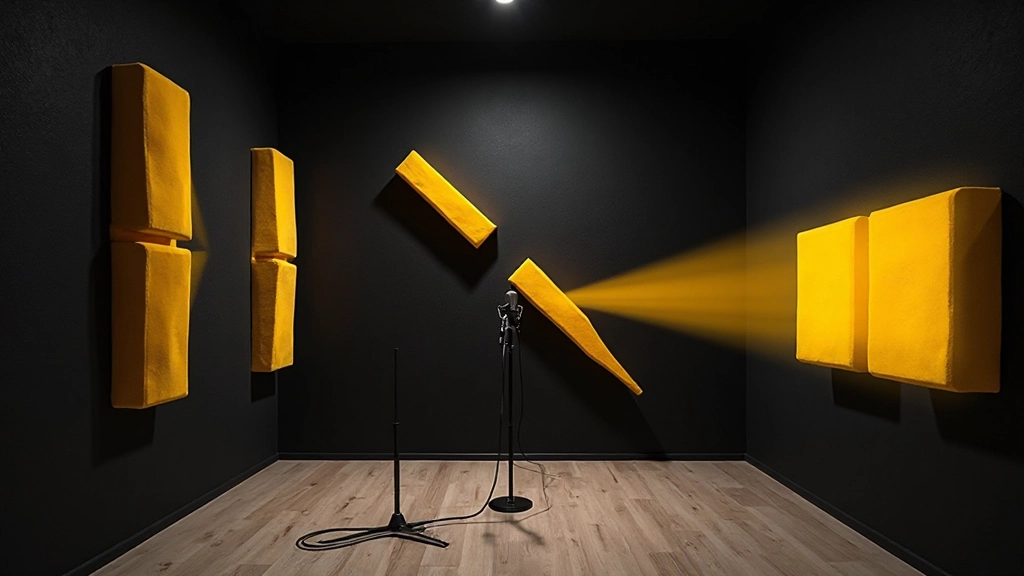
Room positioning creates another layer of problems. Vocals recorded near walls, in corners, or in spaces with parallel surfaces gather reflections that reinforce specific frequencies. These reflections arrive at the microphone slightly delayed, creating subtle comb filtering that emphasizes certain frequency bands while canceling others.
The 30-Minute Detection and Repair Protocol
Start with isolated listening. Solo the vocal track and listen on both your studio monitors and headphones. Boxy vocals often sound more natural on monitors but reveal their problems clearly through headphones, where room acoustics don't influence your perception.
- Load your vocal track and bypass all processing
- Play the vocal against a simple backing track—drums and bass work well
- Switch between your monitors, headphones, and a phone speaker if available
- Note where the vocal sounds hollow, thick, or confined
- Mark the specific sections where boxiness peaks—often sustained notes or louder passages
The phone speaker test reveals boxiness that studio monitors might mask. Phone speakers emphasize midrange frequencies and have limited low-end response, making boxy characteristics more obvious. If your vocal sounds significantly worse on a phone speaker compared to your monitors, you're likely dealing with low-mid frequency problems.
| Symptom | Likely Cause | Quick Test |
|---|---|---|
| Hollow, distant sound | Too much room reflection | Compare close vs. far mic positions |
| Thick, muddy low end | Proximity effect | High-pass filter at 80-100 Hz |
| Cardboard-like tone | 200-400 Hz buildup | Narrow EQ cut in this range |
| Lacks presence | Over-correction or poor mic choice | Gentle boost around 2-5 kHz |
High-Pass Filtering: Your First Line of Defense
Every boxy vocal repair starts with high-pass filtering, but the approach matters more than the frequency. Instead of using a steep filter that creates obvious artifacts, start with a gentle 6-12 dB per octave slope around 80-100 Hz. This removes unnecessary low-end buildup without creating phase shifts that affect the vocal's natural character.
Most DAWs include high-quality high-pass filters in their stock EQ plugins. In Logic Pro X, the Channel EQ's high-pass filter works well for this application. Ableton Live's EQ Eight offers precise control over filter slopes. Pro Tools includes excellent filters in the standard EQ III plugin.
Listen while you adjust the filter frequency. You're looking for the point where the vocal sounds cleaner and more defined without becoming thin or losing its natural body. If the vocal starts sounding weak or lacks warmth, you've gone too far.
Targeted EQ Cuts for Problem Frequencies
After high-pass filtering, identify the specific frequencies causing the boxy character. Use a narrow Q setting (around 2-4) and sweep through the 200-500 Hz range while boosting around 6-8 dB. When you find the frequency that makes the boxiness worse, switch to a cut of 2-4 dB at that same frequency.
This subtractive approach works better than trying to boost other frequencies to compensate. Cutting problem frequencies preserves the vocal's natural dynamic range while boosting often creates additional problems with harshness or unnatural emphasis.
Common False Fix
Boosting high frequencies to counteract boxiness usually backfires. While it might initially seem to add presence, high-frequency boosts often emphasize sibilance and create harshness that's difficult to control later. Focus on removing the problem frequencies first, then add presence sparingly if needed.
Work with narrow cuts initially, then broaden the Q if needed. Sometimes boxiness comes from a very specific frequency spike, while other recordings benefit from broader cuts across the entire low-mid range. Let your ears guide the adjustment rather than following strict frequency rules.
Room Tone and Mic Technique Fixes
If the boxiness is severe, consider the recording environment itself. Small rooms with hard surfaces create standing waves that emphasize certain frequencies. Moving the microphone and vocalist to different positions in the room often yields immediate improvements.
Try recording in a different space entirely for comparison. Closets full of clothes, rooms with carpets and soft furniture, or even outdoor spaces can provide more neutral acoustic environments than small, hard-walled studios.
Microphone distance makes a dramatic difference. If you recorded very close to capture detail, try backing the vocalist 8-12 inches away from the microphone. This reduces proximity effect and allows more natural room tone to balance the close-mic character.
Work It in Your DAW: Logic Pro Vocal Repair Chain
- Insert Channel EQ as your first plugin
- Set high-pass filter to 100 Hz with 12 dB/octave slope
- Add a narrow cut around 300 Hz (adjust to taste)
- Insert DeEsser if sibilance becomes apparent
- Add gentle compression (2-3:1 ratio) to even out dynamics
- Use Tape or Vintage EQ for subtle high-frequency presence if needed
This chain addresses the most common boxy vocal issues while maintaining processing order that prevents problems from cascading through the signal path.
When to Re-Record vs. Repair in Post
Sometimes the best fix is recording again. If your EQ cuts exceed 6-8 dB in the low-mid range, or if multiple frequency bands need significant correction, re-recording often produces better results with less processing.
Re-recording makes sense when you can control the source of the problem—different microphone position, different room, or different mic choice. If the original recording session was in a compromised acoustic space and you now have access to better conditions, spending time on a new take beats hours of corrective processing.
- Re-record if: EQ cuts exceed 6 dB, multiple problem frequencies, poor room acoustics
- Repair in post if: Slight boxiness, good performance, time constraints
- Test both if: Uncertain about the severity or have time for comparison
Consider re-recording just the most problematic sections rather than the entire vocal. Modern DAWs make it easy to punch in new sections that blend seamlessly with the original performance.
Translation Checks That Reveal Hidden Problems
Boxy vocals often sound acceptable on studio monitors but fall apart on consumer playback systems. After your EQ adjustments, test the vocal on multiple playback systems to ensure your fixes translate well.
Car speakers emphasize midrange frequencies and often reveal boxiness that studio monitors miss. If possible, bounce a rough mix and listen in your car or through car-style speakers. The vocal should sit naturally in the mix without sounding hollow or confined.
Phone speakers provide another valuable reality check. Most people discover music through phone speakers first, making this translation crucial. A vocal that sounds good on phone speakers while maintaining its character on larger systems indicates successful boxiness correction.
Laptop speakers offer a third perspective, typically with limited low-end response and emphasized upper mids. If your vocal improvements hold up across all three systems—studio monitors, phone speakers, and laptop speakers—you've likely addressed the core problems effectively.
Stems and Export Considerations
When preparing vocals for mix feedback or further processing, export your corrected vocal stems with moderate processing rather than heavy correction. This preserves options for additional processing while providing a cleaner foundation.
Export at the same sample rate and bit depth as your project to avoid unnecessary conversion artifacts. Include both the dry vocal and a version with your corrective EQ so mix engineers can choose the appropriate starting point.
Label your exports clearly—"Lead_Vocal_Dry," "Lead_Vocal_EQ_Corrected," and so on. This saves time during mix sessions and prevents confusion about which version contains which processing.
Consider exporting individual phrases or sections if some parts required more correction than others. This gives mix engineers maximum flexibility when blending different vocal characteristics throughout the song.
What to Check Before Upload or Mastering
Before sending your corrected vocals for mastering or uploading to AI automix and mastering services, run through a final quality control checklist. Listen to the entire vocal track against your backing music, checking for any processing artifacts or unnatural tonal shifts.
Pay attention to transitions between sections. Sometimes EQ corrections that work well for one part of the vocal create problems in another section with different dynamics or pitch ranges. Use automation to adjust your corrections throughout the song if needed.
Check for phase relationships if you're using multiple microphones or have recorded doubled vocals. Boxy corrections can sometimes reveal phase problems that weren't obvious in the original recording.
Verify that your high-pass filtering hasn't created low-end artifacts or unusual phase behavior. Solo the vocal against a simple bass line to ensure the low-frequency interaction sounds natural.
Advanced Techniques for Stubborn Cases
Some boxy vocals require more sophisticated approaches than basic EQ. Dynamic EQ can address frequency problems that change throughout the performance, cutting problematic frequencies only when they become excessive.
Multiband compression offers another solution, allowing you to control the dynamics of specific frequency ranges independently. This can help tame boxy frequencies during loud passages while leaving quieter sections untouched.
Parallel processing provides a way to blend the corrected vocal with the original, maintaining some natural character while reducing the boxy quality. Set up a parallel chain with aggressive correction, then blend it with the dry vocal to taste.
Consider using vintage-modeled EQs or analog emulations, which often handle corrective cuts more musically than clinical digital EQs. The subtle harmonic distortion and frequency response characteristics can make corrections sound more natural.
Common Questions About Boxy Vocal Recordings
Why do my vocals sound boxy even with expensive microphones?
Expensive microphones can actually emphasize room problems and proximity effects more than budget mics. The issue usually stems from recording technique, room acoustics, or microphone positioning rather than equipment quality. Try different distances and room positions before assuming gear problems.
Should I use the same EQ settings for every vocal recording?
No, each recording has unique frequency problems based on the voice, microphone, and room combination. Use the detection process to identify specific problem frequencies rather than applying template settings. What works for one vocal may create problems for another.
How much EQ correction is too much for a boxy vocal?
If you're cutting more than 6-8 dB in any frequency range, consider re-recording instead. Excessive corrective EQ often creates more problems than it solves, including phase issues and unnatural tonal balance. Multiple small cuts usually work better than one large cut.
Can I fix boxiness during mastering instead of mixing?
Mastering can help, but boxiness is better addressed during recording or mixing when you have full control over the vocal track. Mastering-stage corrections affect the entire mix, potentially creating problems with other instruments while fixing the vocal.
Why does my vocal sound worse after trying to fix the boxiness?
Over-correction often makes vocals sound thin, harsh, or unnatural. Start with subtle adjustments and build gradually. If corrections make things worse, bypass all processing and start over with smaller moves. Sometimes the original recording needs replacement rather than correction.
Do I need special plugins to fix boxy vocals effectively?
Stock DAW EQs handle most boxy vocal corrections effectively. Focus on technique and frequency identification rather than specialized plugins. High-quality results come from understanding the problem and making appropriate adjustments, not from expensive processing tools.
Hear what these choices do to your own song.
Upload stems or a finished track, choose a reference direction, and compare a private Moozix mix before you export anything.