Find, rename and delete projects
Use your Studio library, direct session links and clear deletion controls to manage songs.
In this guide
Find a saved session #
- Open Studio.
- In Your projects, use All projects, In progress, or Finished.
- Type part of a song's name in Find a project to narrow the list.
- Choose Continue on the latest session or Open on another project.
The sidebar also lists recent sessions on larger screens. Each session has its own real URL under /studio/sessions/…; bookmark it to return directly. A session URL is not a public sharing link and still requires the owner's account.

Rename and save #
Click the session title, enter its new name, then press Enter. The name saves and the field leaves edit mode. Most other settings save as you change them; check All changes saved before closing.
If saving reports an error, wait for the connection and retry the change. A change heard locally is not proof it was saved to the server.
Delete a session and its audio #
- Open the song you want to remove.
- Download any results you want to keep first.
- Choose Delete session near the bottom of the workspace.
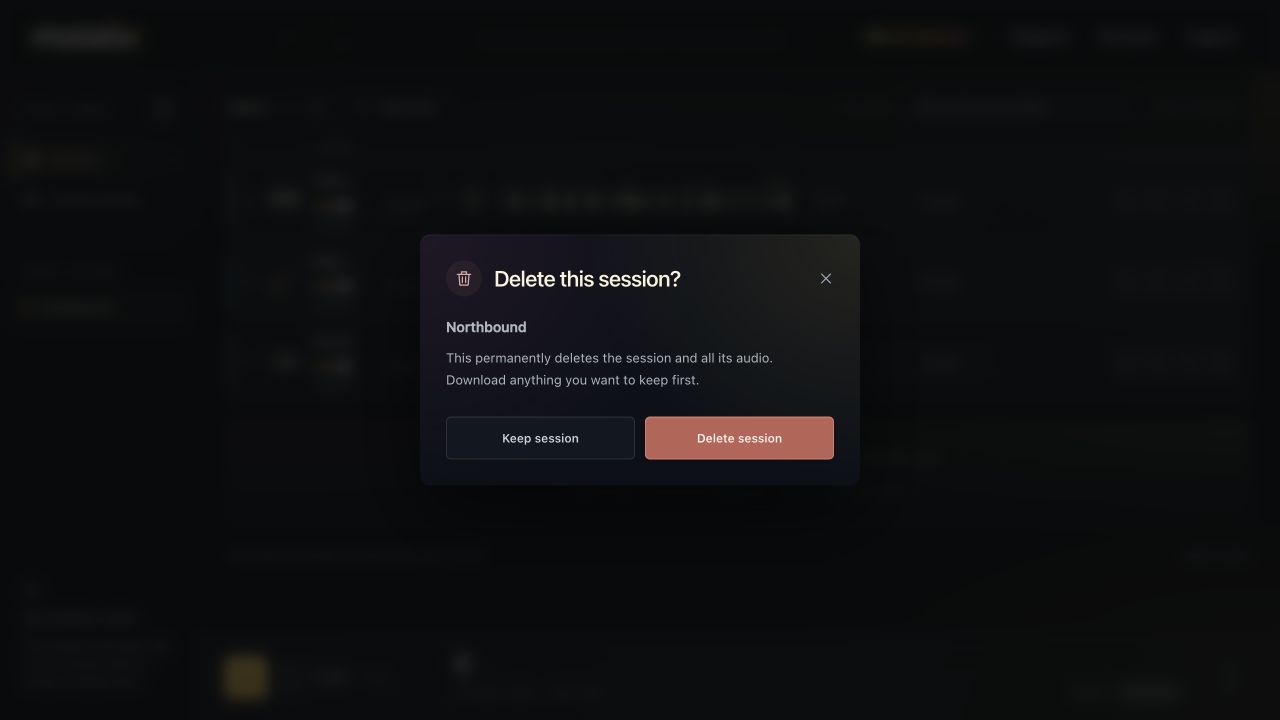
- Read the song name in the confirmation.
- Choose Delete session and audio, or Keep session to cancel.
Deletion removes the session and its audio from active cloud storage and cannot be undone through the app. Wait for an active job to finish before deleting. Deleting a session does not cancel your subscription or create a refund.
Know the session limit #
An account can have up to 20 active sessions. If you reach that limit, download what you need and delete an unneeded session before starting another.
Your original files should also remain in your own DAW/session backups. A reference profile stores measurements, not a recoverable copy of the audio from a deleted project.