Download your master WAV
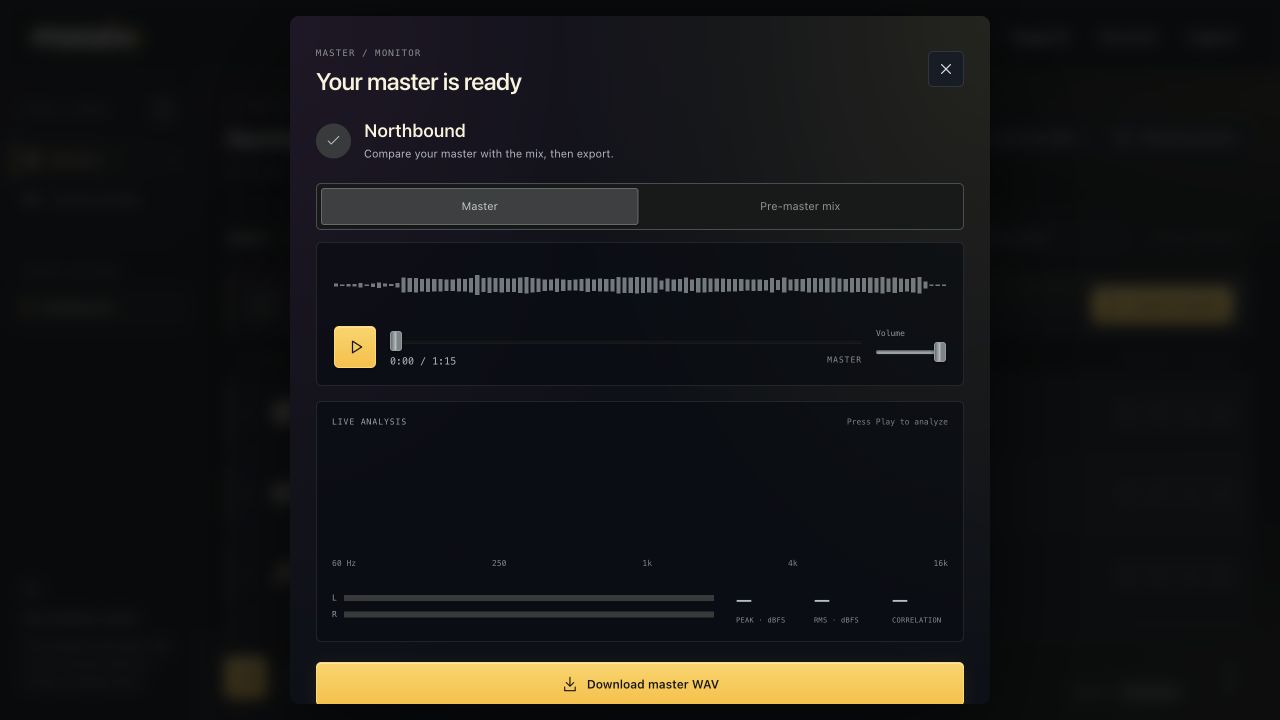
Hear the finished master first, then export the full-quality file using Pro or a project download pack.
Open the finished result #
- Finish mastering your song.
- Choose Listen to master to open the result window.
- Play and compare the Master and Pre-master mix.
- Choose Download master WAV when you want that version.
The downloaded master is 48 kHz, 24-bit WAV. Browser playback uses a lighter preview; downloading exports the full-quality WAV, not that MP3 preview.
If you are on Free #
If the project has no remaining paid downloads, the prompt offers Pro or $5 for three master downloads. After payment, the allowance appears by the download button, such as 3 of 3 downloads left.
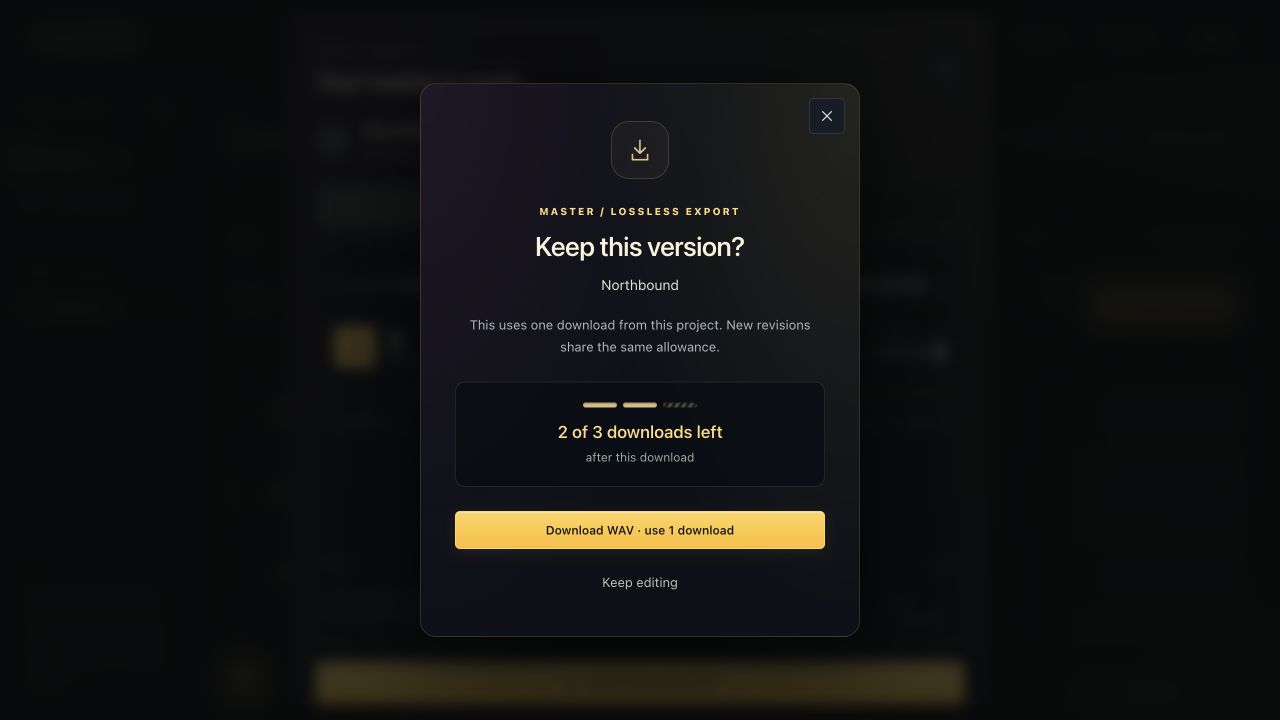
A styled confirmation asks whether to use a download and shows how many will remain afterward. Choose Download WAV · use 1 download to proceed, or Keep editing to cancel without consuming one.
If you are on Pro #
Master downloads are unlimited while your subscription is active. Mixing sessions also expose Mix WAV and Stem WAVs in the finished result, and a mixed track can offer its individual WAV download.
For mastering-only sessions there are no separate instrument stems to export. Use the master download for the finished stereo song.
Find or retry the file #
Your browser controls the save location, normally your Downloads folder or the location it asks you to choose. On mobile, check the browser's Downloads view and the device's Files app.
For a Free paid-pack download, Retry latest download can resume the same granted file for one hour without consuming another allowance. Use that retry path after an interrupted transfer rather than approving another paid download.
Remaster after changes if you want a new version. An old WAV on your device does not update automatically.