Compare Pro and pay as you go
Choose $5 for three project master downloads or $9/month Pro for unlimited mixing, mastering and exports.
Try the result before paying #
You can upload, mix/master and listen on Free before deciding to pay for an export. Free sessions support 16 stems and expire after 24 hours of inactivity.
The two paid choices are pay as you go and Pro. The Support Center is free to read and does not require an account.
Compare the paid options #
| What you need | $5 project pack | $9/month Pro |
|---|---|---|
| Master WAV | 3 downloads for one project, including revised masters | Unlimited downloads |
| Mixing and mastering | Free processing and previews remain available | Unlimited mixing and mastering |
| Mixing tracks per session | Free limit: 16 | Up to 38 |
| Individual stem WAVs / stem ZIP | Not included | Included |
| Full mix WAV | Not included | Included |
| Custom profiles | Not included | Included |
| Saved channel presets / noise cleanup | Not included | Included |
| Session retention | Free inactivity policy still applies | Sessions and audio kept while Pro |
See the current pricing page and final checkout for the amount shown before you pay.
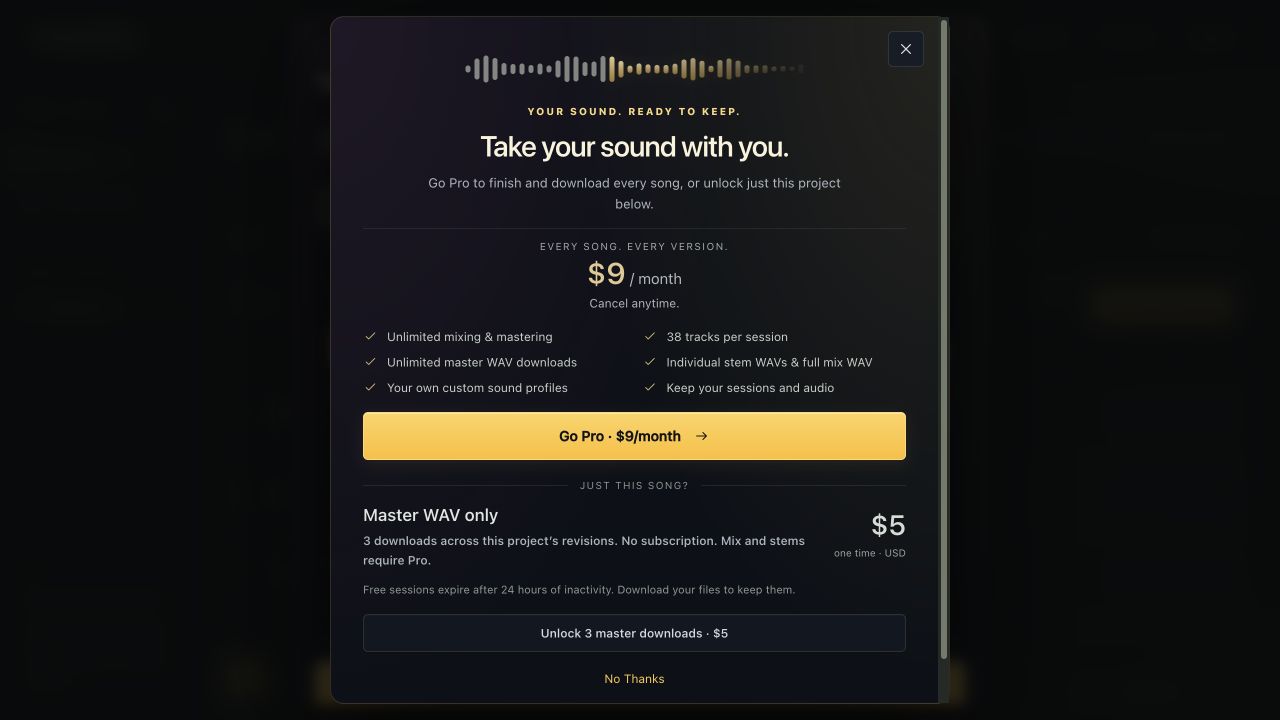
Choose a project pack #
Listen to a completed master, choose Download master WAV, and select Unlock 3 master downloads · $5. Complete the secure payment form and any card authentication.
You can use those three downloads on revisions within that same project. When they are used up, buy another $5 pack or go Pro. Packs do not transfer across projects.
Choose Pro #
Open Moozix Pro in the top navigation on Free, or choose Go Pro in an upgrade prompt. Complete the subscription checkout and return to Studio.
An upgrade prompt may offer I’ve upgraded · continue to refresh access. If the new plan is not visible immediately, reload after checkout completes. Do not start another subscription just because one tab has not refreshed yet.