Create a custom profile
Build your own reference sound from individual instrument stems, a full mix, or both.
In this guide
Open your reference library #
Custom profiles require Pro. Choose Custom profiles in Studio's sidebar, or the Custom profiles button in a session. Free accounts see upgrade options instead of an inactive editor.
The library is part of Studio; it is no longer a separate top-menu destination. Profiles belong to your account and can be reused across sessions.
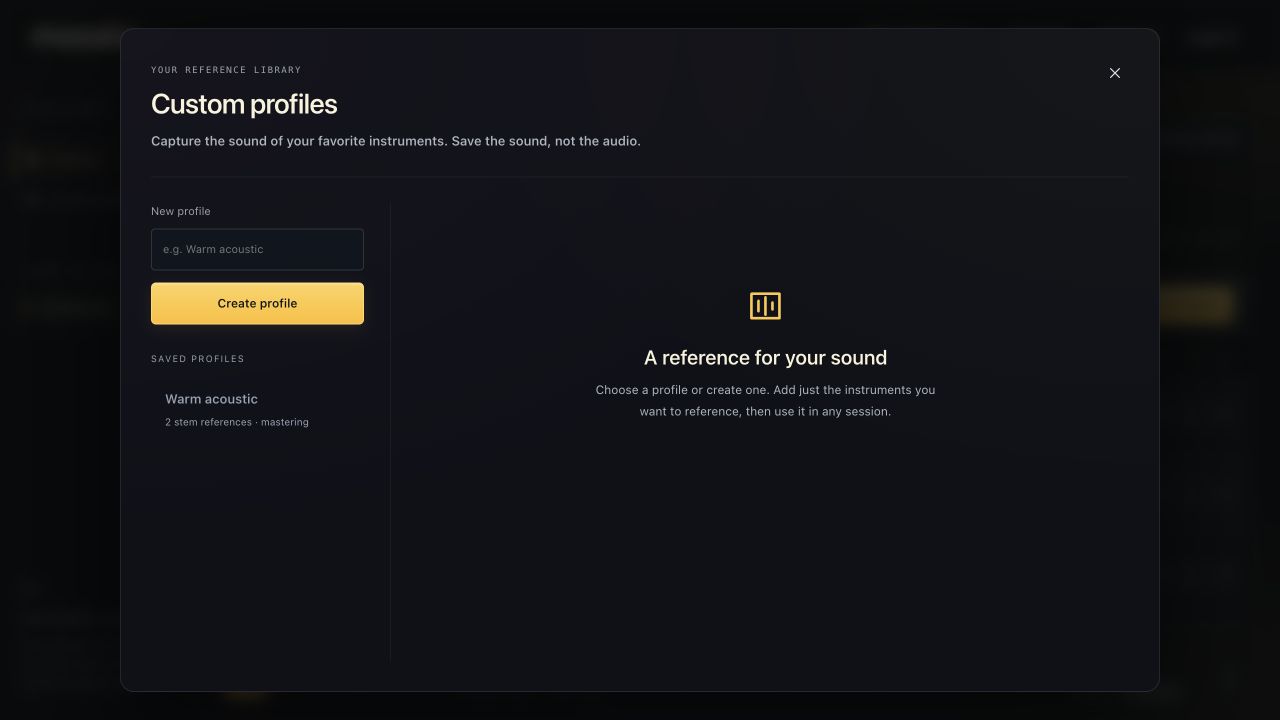
Create and name the profile #
- Enter a name under New profile, such as “Warm acoustic” or “My vocal sound”.
- Choose Create profile.
- Select it in Saved profiles if needed.
- Add the references you want to capture.
A profile can contain only a vocal, only a guitar, a collection of instrument references, a mastering reference, or a combination. You can save up to 100 profiles.
Add audio and analyze it #
- Under Add a reference, choose Instrument stems or Full mix · mastering only.
- Choose audio files or drop them into the reference area.
- For stems, review the instrument choices; filenames can help detect them.
- Choose Analyze references.
- Wait for each reference to show Ready.
Audio is uploaded temporarily for analysis and removed afterward. The profile stores sound measurements, not a retained copy of the reference recording.
Use it in a song #
Choose Use in this session when available, or select the profile from the session's mix/mastering profile dropdown. From the Studio home library, Done closes the manager; select the saved profile in your next session.
Changing an applicable reference can mark affected stems for remixing. The open session updates when the profile changes, including changes made in the modal. A profile is not an automatic guarantee that unrelated recordings will sound identical.