Add individual instrument references
Capture just the vocal, guitar, drum or other instrument sound you want to use as a reference.
In this guide
Choose reference stems #
Use separate audio files containing the part you want to profile. A guitar-only file can guide a guitar; a vocal-only file can guide vocals. A full mixed song labeled Guitar does not become a clean guitar reference automatically.
Each file can be up to 10 minutes and 256 MB. Supported formats match Studio: WAV, AIFF/AIF, FLAC, MP3, M4A and OGG.
Upload and assign instruments #
- Open Custom profiles and select a profile.
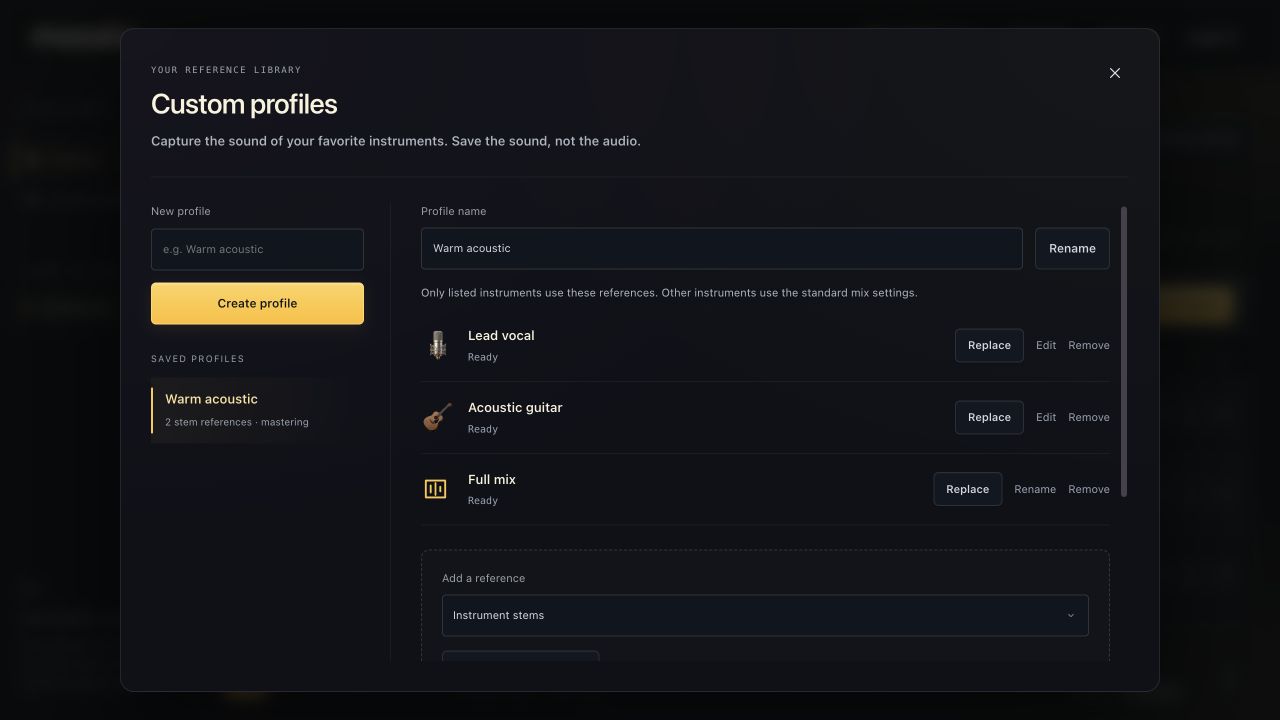
- Set Add a reference to Instrument stems.
- Choose one file or a batch of separate instrument files.
- Review each staged file's instrument selector. Use the same choices as session stems.
- Remove any wrong file from staging before analysis.
- Choose Analyze references and wait for Ready.
There is one reference per instrument in a profile. Adding a new file for an existing target replaces that reference rather than building a layered audio library.
Use specific references alongside older profiles #
Existing profiles can already contain six broad references: Vocals, Drums, Bass, Guitar, Piano and Strings / FX, plus a full-mix mastering reference if available.
These are usable starting points, not missing files. Add a specific Kick or Electric guitar reference when you want more detail. A complete-kit drum reference and a kick-only reference describe different material; choose labels that match the source.
Confirm what will change in the session #
A changed instrument reference affects tracks using that profile for the relevant instrument. Wait for the library to finish analysis, return to your session, and use Remix Changed for stems marked as needing a pass.
Instruments without a matching reference use the normal mix settings. Adding one vocal reference does not require references for every other instrument.