Use a full mix as a mastering reference
Capture a finished song’s mastering tone without claiming it contains isolated instrument references.
In this guide
Add a finished stereo reference #
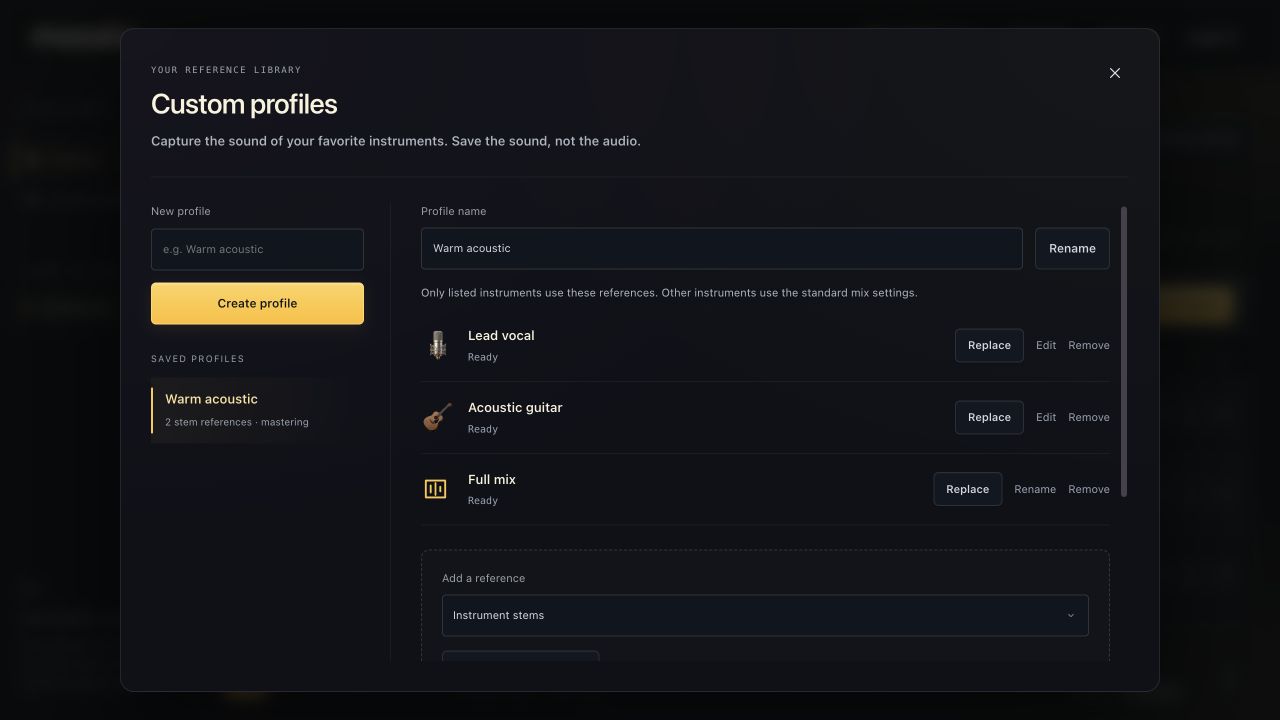
- Open Custom profiles and create or select a profile.
- Set Add a reference to Full mix · mastering only.
- Choose one finished stereo reference file.
- Choose Analyze reference and wait for Ready.
The file must be a supported audio format within the 10-minute / 256 MB per-file limit. Use audio you have permission to upload and process.
What a full-mix reference does #
The reference captures measurements of the overall sound, including mastering tone and loudness. Select that profile in Mastering profile to use those measurements for your song.
The current Studio does not split a full reference song into separate instruments. To supply individual vocal, guitar or drum references, upload separate stems under Instrument stems. A mastering reference alone does not make an instrument-by-instrument mix profile.
Combine mastering and instrument references #
A profile can contain both. Add instrument stems for the mix sound, then add the full mix for mastering. In a stereo-mastering session, choose a profile that includes a ready full-mix reference.
You retain your music rights. The temporary reference audio is deleted after analysis; the resulting measurements are not AI training on your recording.