Mix All, Remix Changed and Apply Mix Changes
Know which changes need processing and which are saved live—without repeatedly remixing every track.
In this guide
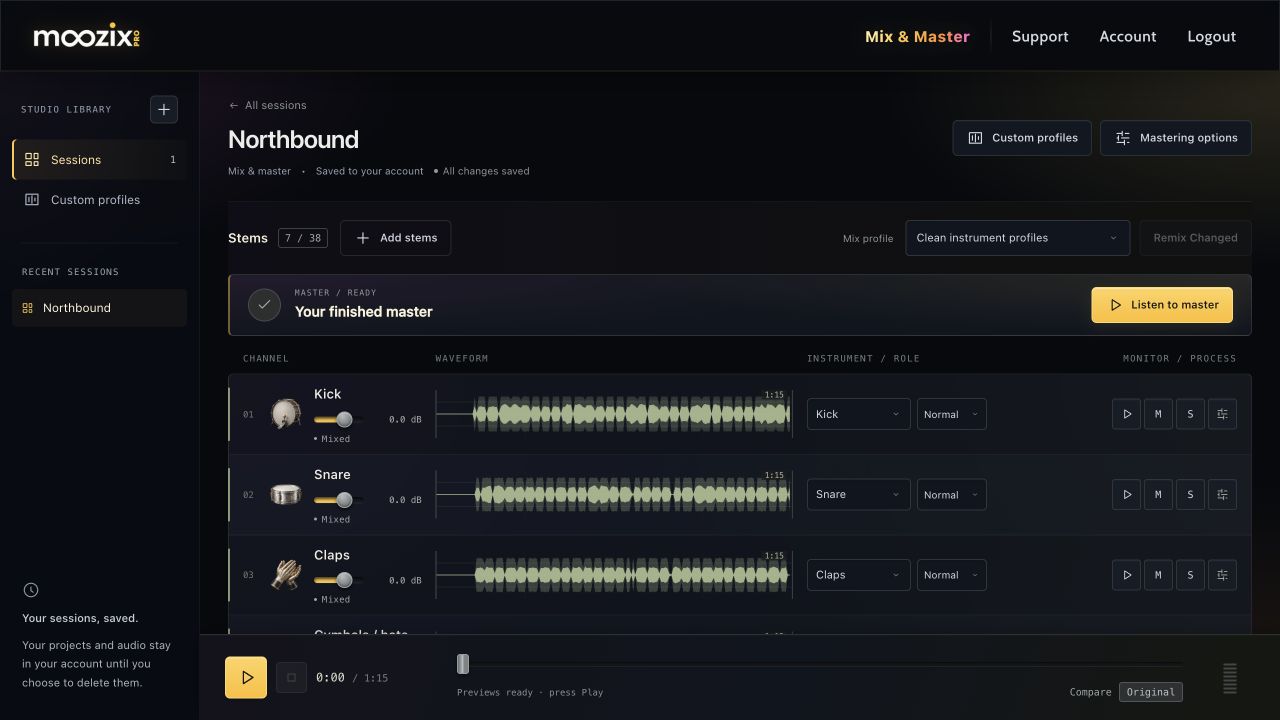
Use the batch action beside Mix profile #
| Button | What it does |
|---|---|
| Mix All | First mix pass on prepared, audible stems. |
| Remix Changed | Processes new, changed or failed stems that need a mix pass; keeps unchanged mixed stems. |
| Remix All | Appears when the session's mix profile changes after mixing. Applies it across audible stems while keeping individual profile overrides. |
| Mix All Stems | Profile changed before the first mix; begins the first pass with that profile. |
Muted tracks are excluded. The button may be disabled when there is nothing eligible to mix or another operation must finish.
Changes that need a new stem pass #
Changing the instrument, sound profile, or Noise cleanup can change the automatic mix. Group the changes you want, wait for them to save, then choose Remix Changed.
For one stem, open FX and use Apply Mix Changes when its status says a mix pass is needed. A failed preparation or mix instead offers Retry Preparation or Retry Mix.
Changes that are saved live #
Channel level, pan, EQ, compression, stereo width and plate reverb are saved controls applied to playback and included in the next master. They do not need a separate baking pass just because you touched a slider.
- Adjust the controls while listening if desired.
- Release the slider and wait for its save status.
- Choose Done to close the rack.
- Master again to export the updated sound.
If the rack says Effects saved, an extra Apply Mix Changes pass is not required. Existing masters can become out of date when you change the mix; make a new master for the current settings.
Changing musical role, mute or original-stem bypass can trigger a session rebalance automatically; it does not require every stem to be reprocessed.
What Balancing mix means #
After processing stems, Moozix checks them together for relative levels, spectral separation, dynamics and stereo placement. That session-level work is why a collection of individually processed files is not immediately the final mix.
Let the current operation finish. The player hides while mixing is active and returns when the session can play. If a status does not change for an unusually long time, see processing troubleshooting.