Choose instruments and initial panning
Help the engine understand each part, including filename detection, left/right labels and the full instrument list.
In this guide
Check the detected instrument #
- Upload your stems and wait for preparation.
- Read the instrument label on each track.
- Use the dropdown to correct any guess. Choose Claps for claps rather than Snare, and Kick for an individual kick rather than Drum kit.
- Preview any unclear track before you mix it.
Use Drum kit for a complete drum submix and Beat / full instrumental for a backing instrumental. Choose the closest specific instrument; Strings / FX is the fallback for other parts.
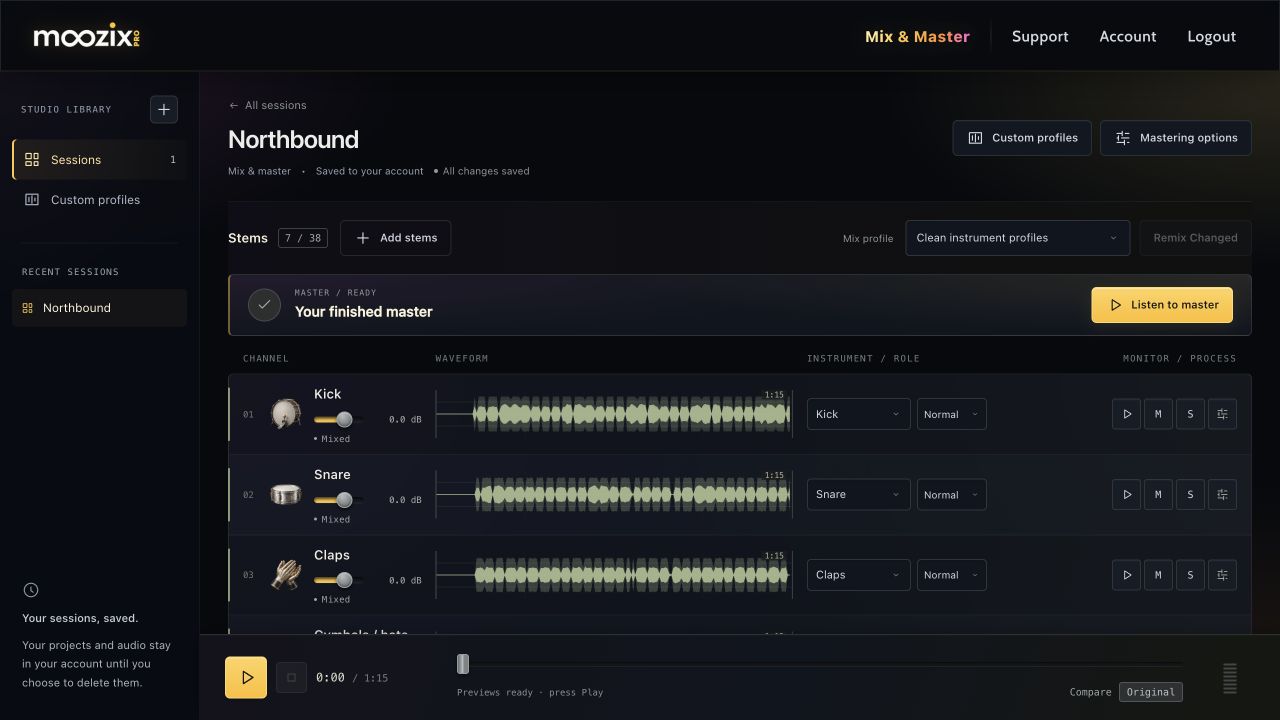
Preserve left and right in filenames #
Names such as Guitar Left, Keys Right, GTR L and GTR R set the initial side. A file containing both left and right tokens keeps automatic placement because the direction is ambiguous.
A stereo stem already contains a stereo image. Automatic placement is intended to preserve that image rather than randomly reverse it. After mixing, open FX → Pan · L / R to make a manual adjustment or restore Automatic placement.
All supported instrument choices #
The instrument list is shared between session tracks and individual references in Custom profiles. If a broad older profile contains a guitar or drum reference, it can still guide the relevant instruments; a specific reference can be added when you want more detail.
| Instrument choices |
|---|
| Beat / full instrumental |
| Lead vocal |
| Male vocal |
| Female vocal |
| Backing vocals |
| Drum kit |
| Kick |
| Snare |
| Claps |
| Drum overheads / room |
| Toms |
| Cymbals / hats |
| Percussion |
| Bass |
| Electric guitar |
| Acoustic guitar |
| Piano |
| Organ |
| Harmonica |
| Keys / organ |
| Synth |
| Strings |
| Violin |
| Viola |
| Cello |
| Double bass |
| Trumpet |
| Trombone |
| French horn |
| Flute |
| Clarinet |
| Oboe |
| Bassoon |
| Saxophone |
| Harp |
| Mallets / bells |
| Banjo |
| Mandolin |
| Ukulele |
| Brass |
| Woodwind |
| Strings / FX |
If you change the instrument later #
An instrument change affects the processing recipe. Wait for settings to save, then choose Remix Changed or Apply Mix Changes on that stem.
Small level, pan, EQ or reverb adjustments are different: they are live channel controls and are included in the next master without another automatic stem mix.